Meta Quest Intro
Developing an application for the Meta Quest is straightforward, and the Photon product's regular documentation can be used for this purpose.
However, to help you in the development of XR applications, we provide specific samples and addons. This will simplify and accelerate the prototyping of your applications.
Fusion Technical Samples
Some Fusion technical samples are available for all XR targets, to bootstrap an application with ease.
VR Shared
The VR Shared sample includes in-depth explanation on how to organize a project to use Fusion's shared topology. It is the most simple way to start a XR project, and should cover a large spectrum of use cases.
VR Host
For more advanced needs (competitive PvP, advanced physics), the host topology also has a dedicated XR sample, VR Host
XR Addons
In addition to these samples, a collection of reusable prototyping addons is available to build an XR project. Now, all addons are provided for free in the XR Addons project .
- to prepare the synchronized rig
- to easily connect Photon voice in a XR headset context
- to offer cross-platform hands and fingers synchronization
- to have a proximity-based audio filtering
- to synchronize 2D or 3D drawings
- and much more.
Meta Specific Addons And Samples
We provide a set of addons and samples specifically designed for the Meta Quest ecosystem, leveraging Meta's SDKs (OVR, MRUK, Camera API) to take full advantage of the headset's capabilities.
Meta OVR Hand synchronization
The XRHands synchronization components, with a dedicated OVR adapter available in the MetaCoreIntegration addon, shows how to set up a Meta OVR rig, and how to handles finger tracking synchronization.
It relies on a rig created with Meta's building blocks to handle user rig parts synchronization.
And it ensures to offer high data compression of the finger tracking data to reduce bandwidth usages.
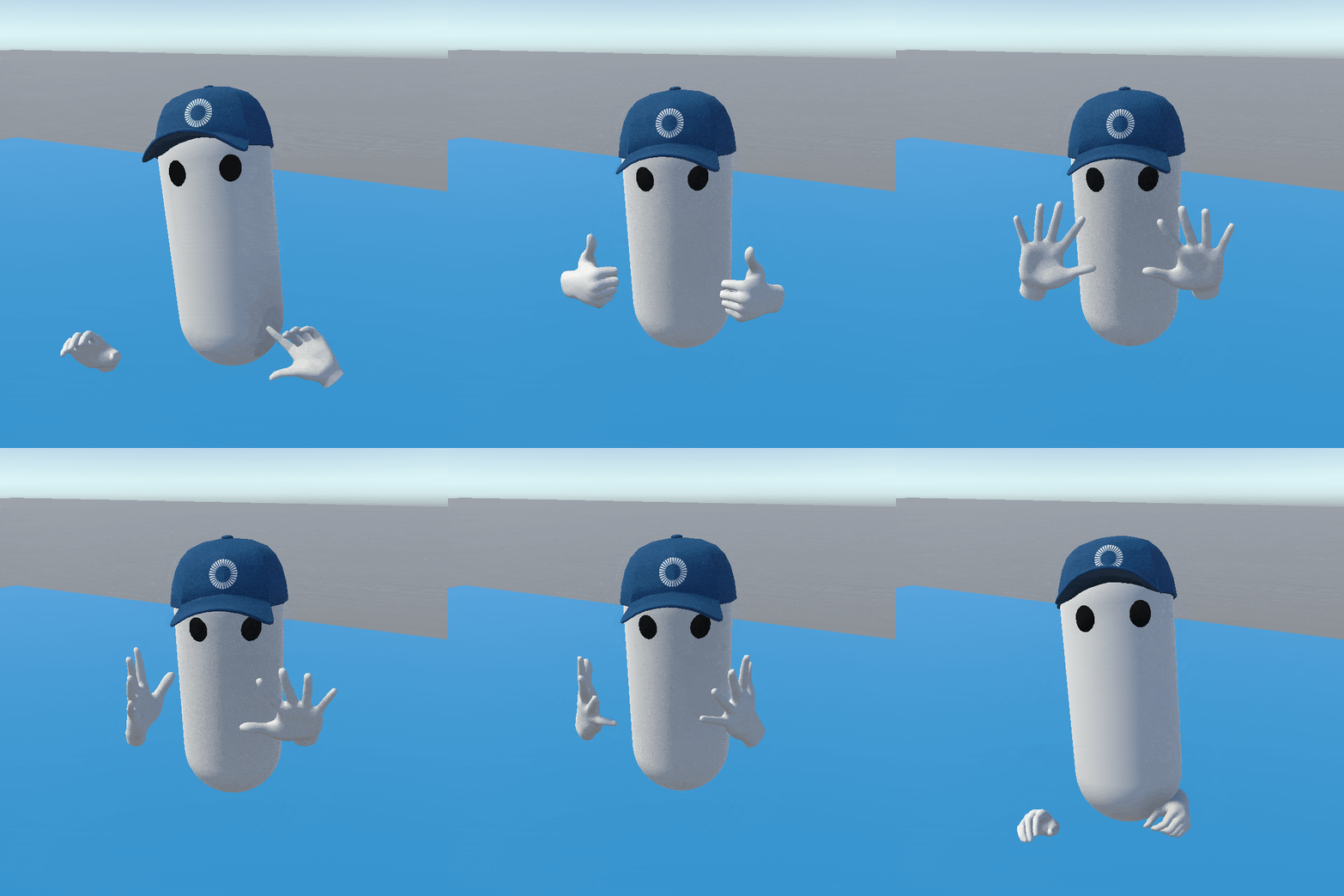
This feature supports both hand skeleton version types in the OVRManager, either OVR Hand Skeleton or OpenXR Hand skeleton.
Meta XR Integration
The Fusion Meta XR Integration samples is dedicated to the Meta Quest platform.
This is a ready-to-use Unity project using Meta packages with Photon Fusion. A first scene uses only Meta building blocks. But two additional scenes are included to show how to use an alternative avatar solution or how to integrate the Logitech MX Ink pen.
Fusion Sticky Notes Meta SSA Colocation
The Fusion Sticky Notes Meta SSA Colocation sample shows how users can collaborate in mixed reality when they are physically located in the same place and using Meta Quest devices. The colocation system is based on the Meta Shared Spatial Anchors (SSA) feature.
In addition to the colocation feature, users can spawn sticky notes and draw on them using their fingers (hand or controller tracking), a virtual pen, or a Logitech MX Ink.

Meta Camera Integration Photo
The Fusion Meta Camera Integration Photo sample demonstrates how Fusion can be used to share photos taken with the Meta Quest camera with remote users.
Each user can take a snapshot of their Meta Quest camera using a button on their watch (or controllers' primary button). The photo is then spawned for all users and displayed once the transfer is complete.
Meta Camera Integration
The Fusion Meta Camera Integration sample demonstrates how Fusion and Video SDK can be used to stream the Meta Quest camera to remote users.
Each user can start streaming their Meta Quest camera using a button on their watch. For remote users, a screen appears in front of the streaming user's avatar, acting as a window on their real environment. This is particularly useful for remote support use cases.
Marker Based Collaboration
The Marker Based AR Collaboration sample demonstrates how to build augmented reality use cases based on the detection of markers (QR Codes or ArUco).
It covers two scenarios: a colocation scenario where multiple users physically in the same room are aligned through a shared marker (no room scan required), and a remote support scenario where an on-site technician collaborates with a remote engineer thanks to a calibrated marker placed on real-world equipment.
Collaboration Desk
The Collaboration Desk sample demonstrates how to mix colocated users with remote users in a mixed reality scenario, using the Anchors addon.
When scanning a QR Code positioned on a real-world table, the user joins a common virtual table. If another user has scanned the same QR Code, both are colocated. The table is built progressively, each user's room contributing a virtual table part aligned on the closest detected real table.
If a remote user ends up outside of the local user's real walls, a VR background context appears behind them to keep the experience comfortable.
MR Room Minimap
The MR Room Minimap sample demonstrates how to mix colocated users with remote users in a mixed reality scenario, with manual repositioning of each user's room, using the Anchors addon.
Each user has a local minimap showing remote users and their room walls, the combined remote room providing a VR background for remote users and objects outside of the local room, and virtual objects marked to appear on the map (such as a magnetic board or post-it dispensers).
Cross-platform Samples
In addition to samples dedicated to the Meta Quest platform, we provide some cross-platform samples compatible with various headset vendors.
Cross-platform XR Starter
The Cross-platform XR Starter sample demonstrates how to build a cross-platform XR project on top of OpenXR, leveraging the Fusion XR Addons.
No specific code is required: the project is composed entirely from prefabs and components shipped with the XR Addons. It is intended as a quick-start reference for developers who want to bootstrap a networked, multi-device XR experience.
The scene illustrates avatar synchronization (including hand tracking), teleportation, grabbing and touching objects, 2D/3D drawing synchronization, and haptic and audio feedback.
Sticky Notes Cross-Platform Remote Relocation sample
The Fusion Sticky Notes Cross-Platform Remote Relocation shows how users can collaborate in mixed reality, even if they are not in the same place and using different headsets (Meta Quest and Apple Vision Pro). After the relocation, both users are in front of the same reference point in the Unity scene, while still facing their respective physical walls. In addition to this relocation feature, which works regardless of the headset being used, users can spawn sticky notes and draw on them.
Cross-platform mixed reality sample
The cross-platform mixed reality sample demonstrates how to prepare an application allowing both Apple Vision Pro and Meta Quest's users to share a multiplayer session.
Apple vision Pro users can use an immersive space, similar to the Meta Quest's user experience, or see the scene from a bounded volume, to have an overview of all the users from above.
Use case samples
Beyond the technical samples above, we also provide complete samples illustrating specific use cases:
- Expo: a virtual exhibition where remote attendees can gather and interact around showcased content.
- Metaverse: a multi-space metaverse hub featuring art galleries, music venues, and interactive games.
- Meeting: a virtual meeting room with collaboration tools such as sticky notes and shared drawings.
- Stage: an audience-oriented scenario with screen sharing for presentations and performances.
- VR Training: a VR training scenario for collaborative learning and skill rehearsal.
Although these samples are not explicitly labeled as "cross-platform", they are built on top of OpenXR and do not rely on headset-vendor-specific SDKs, so they should run seamlessly on any compatible headset.
Last updated on
Back to top