Physics Joints
Introduction
A physics joint is a connection between physics bodies that restricts movement. They are valuable in games as they allow for realistic movement, interaction between physics bodies, and vehicle simulations.
Configuration
Quantum's physics joint API provides several parameters that can be used to modify their behavior.
| Field | Description |
|---|---|
| Start Disabled | Whether or not the joint should start disabled. Disabled joints will be ignored by the physics systems. |
| Type | What type the joint should be. |
| User Tag | A numerical tag that can be used to define groups of joints. |
| Connected Entity | What entity this joint is connected to. This entity MUST have a transform component. |
| Connected Anchor | The anchor point of where the joint entity connects to. If there is no connected entity, this will be in world space, otherwise it will be in local space. |
| Anchor | The anchor offset in local space of the joint entity's transform. |
| Axis | The axis around which the joint rotates. If set to zero, FPVector3.Right is used instead. |
| Use Angle Limits | If the angle between the joint's transform and its anchor should be limited by the hinge joint. Only relevant if the joint is a hinge joint. |
| Lower Angle | The lower limiting angle of the arc of rotation around the anchor, in degrees. |
| Upper Angle | The upper limiting angle of the arc of rotation around the anchor, in degrees. |
| Use Motor | If the hinge joint should use a motor. Only relevant if the joint is a hinge joint. |
| Motor Speed | The speed at which the motor will attempt to rotate, in degrees per second. |
| Max Motor Torque | The maximum torque the hinge joint can provide, if set to 0 then it will not be limited. |
Hinge Joints
A Hinge Joint connects two physics bodies together at a point, allowing them to rotate around a specified axis. These joints can be useful for creating doors, gates or rotating obstacles. Hinge Joints also have optional motors which will constantly try to rotate in a specified direction. To use a motor in the hinge joint, set UseMotor to true in the joint component.
Spring Joints
A Spring Joint keeps bodies apart and maintains a separation between them, but allows some stretching in the distance between them. They can be useful for creating complex character movement or environment interactions like bridges that respond to player movement.
Distance Joints
A Distance Joint is a type of physics joint used to maintain a fixed distance between two objects. It restricts the relative motion of the connected objects along a straight line, keeping them at a specific distance from each other. This joint type is useful for simulating rigid connections, such as ropes and virtual springs. Generally useful for any joint where the distance between the objects remains constant. It allows for realistic interactions, stability, and control over connected objects in the simulation.
Character Joints (3D)
In 3D Physics, a Character Joint constrains the relative rotation of two connected rigid bodies around a shared anchor point. It is an extension of the ball-and-socket joint and is particularly useful for building complex ragdolls for humanoid characters and creatures.
This joint allows you to define a Twist Axis and a Swing Axis 1. The relative rotation between the two bodies is constrained around these axes. A third axis, Swing Axis 2, is automatically calculated as the cross product of the other two axes.
| Field | Description |
|---|---|
| Twist Axis | A Vector3 direction defined in the entity's local space. |
| Swing Axis | A Vector3 direction defined in the entity's local space. |
| Use Twist Angle Limit | Enables the angular limits around the twist axis. If disabled, rotation around this axis is unrestricted. |
| Twist Lower Angle | The lower angular limit for twisting, in degrees, relative to the initial relative orientation. |
| Twist Upper Angle | The upper angular limit for twisting, in degrees, relative to the initial relative orientation. |
| Swing 1 Angle Limits | Defines the angular limits for rotation around the first swing axis. |
| Swing 2 Angle Limits | Defines the angular limits for rotation around the second swing axis. |
Creating a Simple Knee Joint
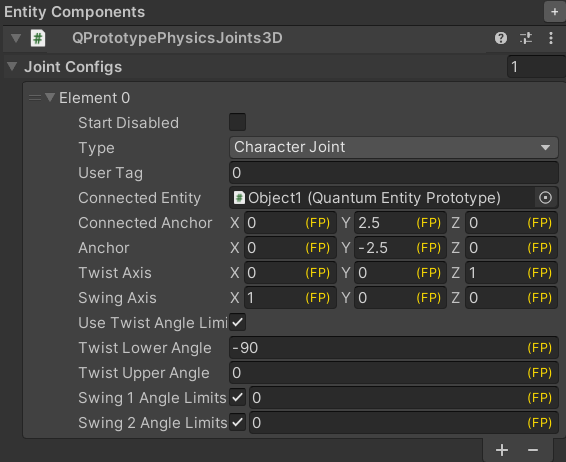
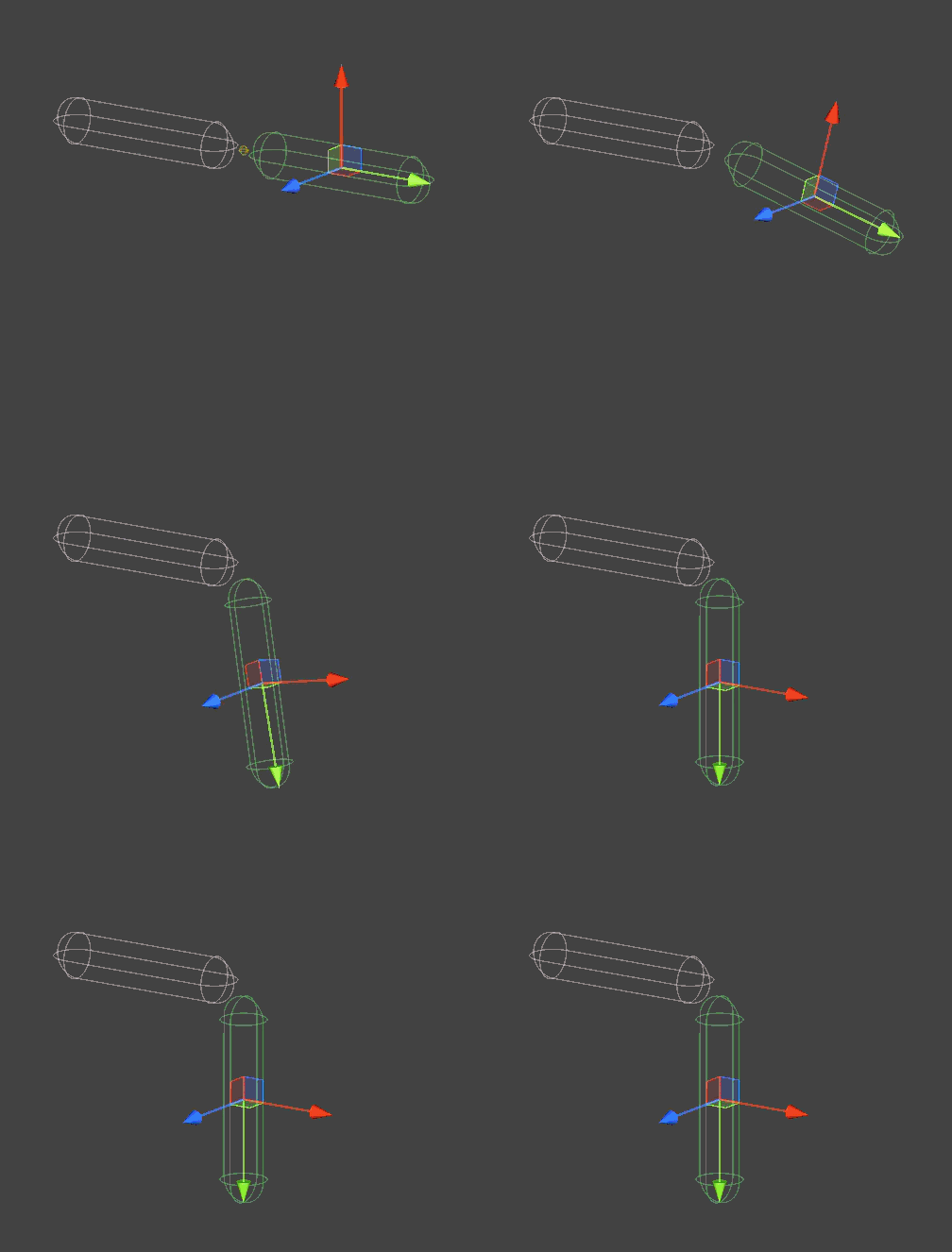
- Set the
Connected AnchorandAnchorproperties so that both anchors coincide. - Set the
Twist Axisdirection to(0, 0, 1). You can use a different direction if necessary. - Enable
Use Twist Angle Limitand setTwist Lower Angleto-90degrees andTwist Upper Angleto0degrees. - Set both
Swing 1 Angle LimitsandSwing 2 Angle Limitsto0degrees.
Creating a Simple Limb Joint
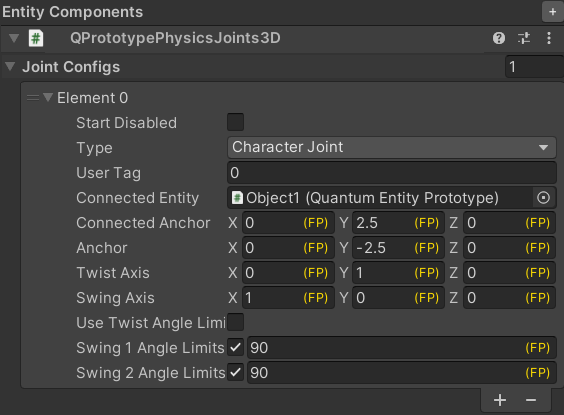
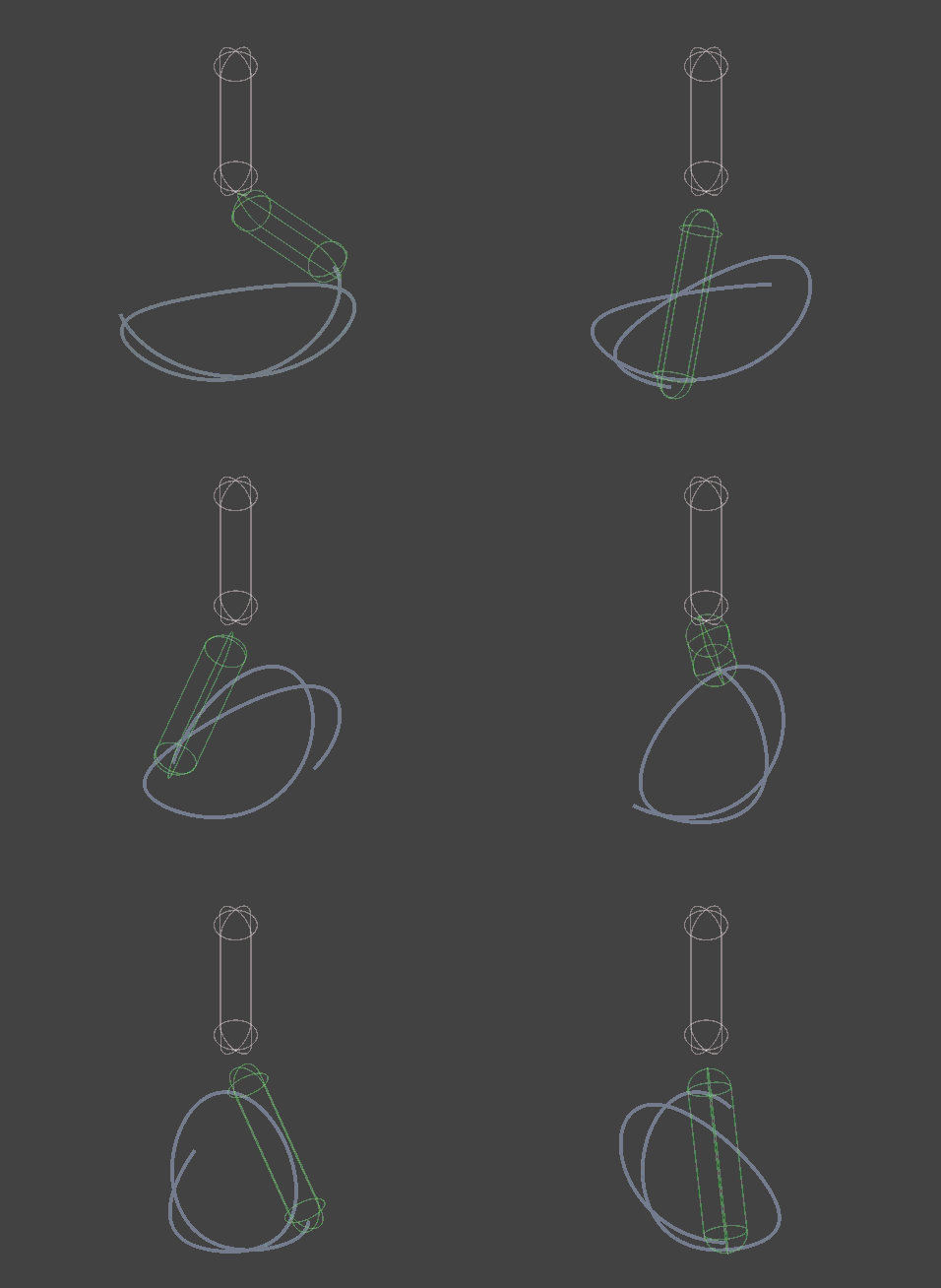
- Set the
Connected AnchorandAnchorproperties so that both anchors coincide. - Set the
Twist Axisdirection to(0, 1, 0)and theSwing Axisdirection to(1, 0, 0). - Set both
Swing 1 Angle LimitsandSwing 2 Angle Limitsto90degrees.
Last updated on
Back to top