SDK & download
Getting the Photon Video SDK
The Photon Video SDK, like our other SDKs such as Fusion or Quantum, uses the Realtime SDK as a transport layer. Currently, several versions of Realtime are available:
- the former Realtime 4,
- the latest version, Realtime 5.
If you are using Fusion or Quantum in your video project, please download the Video SDK version that uses the same version of Realtime.
Photon Video SDK for Realtime 5
Fusion 2.1 and above, and Quantum 3 and above, require Realtime 5, and should use this version. It is also the suggested version if you are using it standalone.
| Version | Download |
|---|---|
| 2.64 | Unity Video SDK Realtime5 2.64 |
Photon Video SDK for Realtime 4
Fusion 2.0 and below uses Realtime 4.
| Version | Download |
|---|---|
| 2.64 | Unity Video SDK 2.64 |
Getting Platform-specific Video Senders
In addition to the Video SDK, you may need additional components to stream video on some specific devices. We provide some ready-to-use platform-specific video senders (i.e. Meta Quest, Meta Wearables, etc.): see the Video SDK Addon page.
Installation
The Video SDK is provided as a .unitypackage, which allows easy importing into Unity: drag and drop the file into the project panel of the Editor or select the menu Assets -> Import Package -> Custom Package....
Please select only required folders (PhotonVideo, PhotonVoice, PhotonRealtime and PhotonLibs are required).
For example, disable PhotonChat and associated demos if you don't need them. It is also possible to remove PhotonChat later as described below.
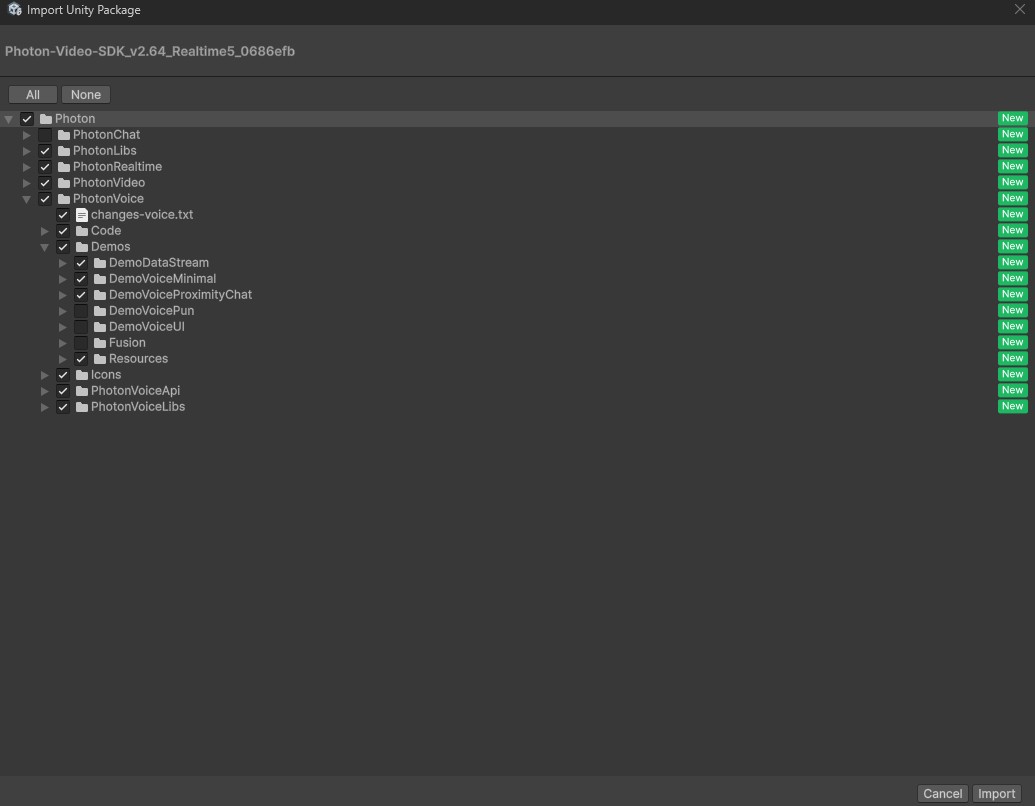
As the Video SDK builds on top of Voice and Realtime, the package includes a recent version of each. But, if you already installed an up-to-date version of Fusion or Quantum, PhotonLibs and PhotonRealtime can be unselected.
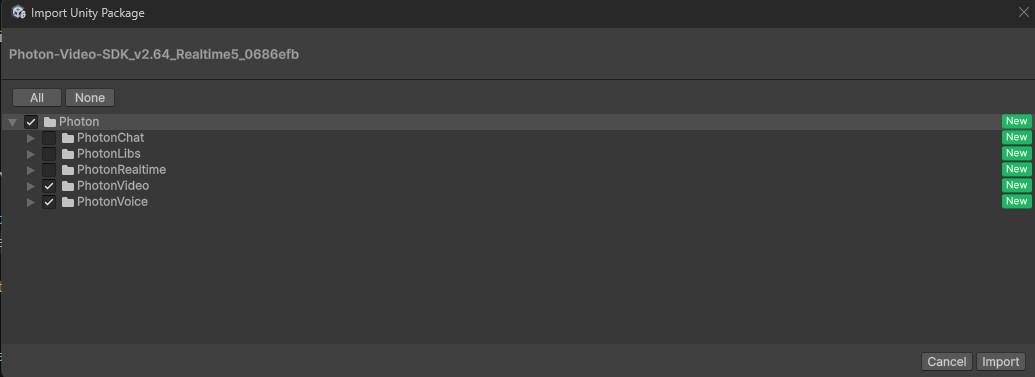
To update an existing project, we suggest always fully importing Voice and Video and keeping the newer versions of the other SDKs. Consider first removing the PhotonVoiceLibs and PhotonVoiceApi folders in Assets\Photon\PhotonVoice\ before importing.
Optional Imports
The Video SDK includes additional APIs, which can be skipped from import or removed later on.
If you installed them but you don't need them, follow this guide to remove Photon Chat to streamline your project.
Requirements
- Photon Video AppId (Photon Dashboard)
- Minimum Unity 6000.0 LTS
- The URP pipeline is required to use Unity Video Components
- IL2CPP is the recommended scripting backend. Mono is not guaranteed to work.
Supported Platforms
The Video SDK works on the following platforms:
- Windows
- macOS
- Linux
- iOS
- Android (Vulkan is fully supported and is the recommended choice, OpenGL support has limitations)
- WebGL for Windows (Chrome, Edge, Opera), and for macOS (Chrome, Opera). Limited to webcam streaming
- Meta Horizon OS / Oculus Quest
- visionOS
Out of the box, it supports:
- Webcam streaming
- Texture-based content streaming (not currently supported on WebGL)
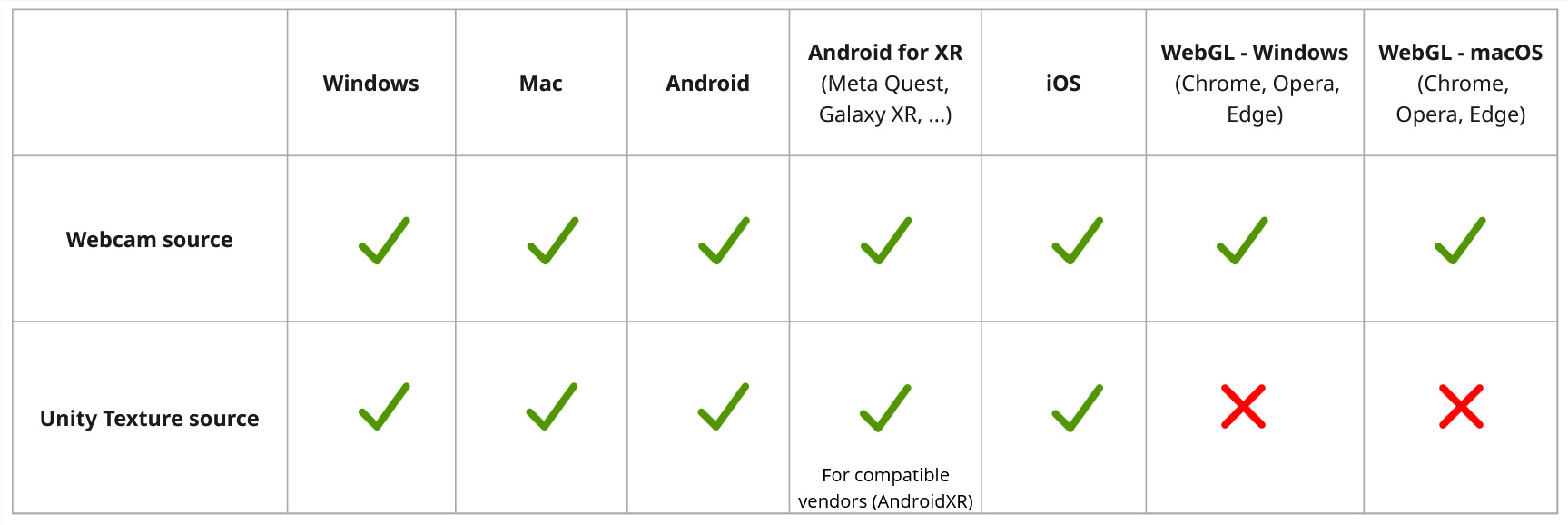
Platform Specifics
iOS
- Add the VideoToolbox framework to the UnityFramework target link dependencies (Build Phases)
Android
- Minimum API level 28 (Android 9.0) is required
- If GameActivity is used (since Unity 6000), disable the
kotlin-stdlib-*.jarlibrary inAssets\Photon\PhotonVoice\PhotonVoiceLibs\Android\libsto avoid aDuplicate classbuild error - Video encoder and decoder do not work with some Unity versions because of a bug in those versions
- OpenGL: if a Unity Texture is used for video output or for encoder input:
- Multithreaded rendering is not supported