Preview Rotation Support
The Video SDK will stream the captured texture over the network. However, for devices that can be rotated, like the webcams of mobile phones, the texture is usually captured in a specific orientation of the phone.
For instance, usually:
- Android: The captured image is a landscape image where the right side is the side where the power connector is located
- iOS selfie camera: The captured image is a landscape image where the left side is the side where the power connector is located
- iOS back camera: The captured image is a landscape image where the right side is the side where the power connector is located
To make the local preview more natural, with the WebcamTextureStreamSender component, it is possible to rotate the preview texture based on the device orientation returned by the WebcamTexture.videoRotationAngle.
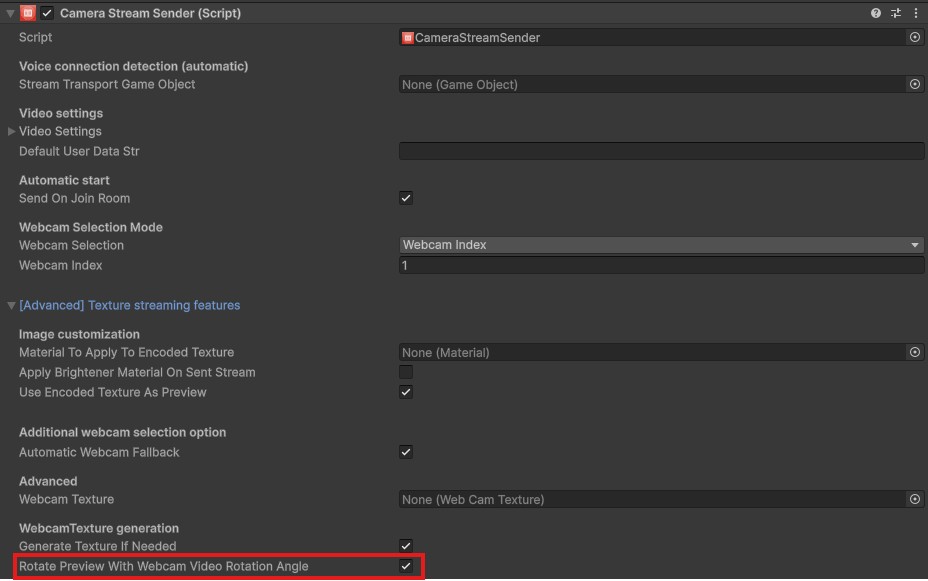
To do so, enable the WebcamTextureStreamSender.rotatePreviewWithWebcamVideoRotationAngle option (enabled by default).
See example below with the CameraStreamSender component (subclass of WebcamTextureStreamSender).
Note: keep in mind that the sent texture won't be changed, and will still be the content of the WebcamTexture.