Architecture - Shared Authority
Unity Project
All scripts live next to the assets of their example in the Assets folder.
| Folder | Content |
|---|---|
/00_MainMenu |
Main menu scene, UIMainMenu script and the MenuButton prefab |
/01_ThirdPersonCharacter |
Third Person Character scene, GameManager, Player and PlayerInput scripts and the Player prefab |
/02_Platformer |
Platformer scene, Prefabs with Player, Coin, FallingPlatform, Flag and Cloud, Scripts with the example code |
/03_Shooter |
Shooter scene, Prefabs with Player, Chicken and Impact, Scripts with the example code |
/Common |
Runner and UIGameMenu prefabs, the InputSystem_Actions asset, Graphics and Scripts shared by all examples |
/<Example>/3rdParty |
Third party assets, see Overview |
/Photon |
Fusion SDK with the Simple KCC addon in Photon/FusionAddons/SimpleKCC |
/WebGLTemplates |
Photon WebGL template |
The project has four scenes:
00_MainMenu: The main menu, the first scene of a build.01_ThirdPersonCharacter: A prototype environment.02_Platformer: A platformer level with coins, falling platforms and the flag.03_Shooter: A shooter arena with eight spawn points and theChickenSpawner.
The NetworkRunner does not switch scenes, UIGameMenu passes the active scene to StartGame and reloads it after a disconnect, see Scene Loading.
High Level Breakdown
The game boots in the 00_MainMenu scene, UIMainMenu loads an example scene by build index when a button is pressed.
Every example scene contains the UIGameMenu prefab, it shows the game menu and starts the session with GameMode.Shared, see Session and Menu.
In the Shared Authority topology every client has state authority over the objects it spawns, so each client spawns and controls its own player and no input travels over the network, see Fusion Introduction.
Scene network objects such as the GameManager, the coins and the platforms belong to the Shared Authority master client.
A client that wants to change an object it does not control asks the state authority with an RPC.
The same three examples exist as a Client Host project, see Architecture - Client Host.
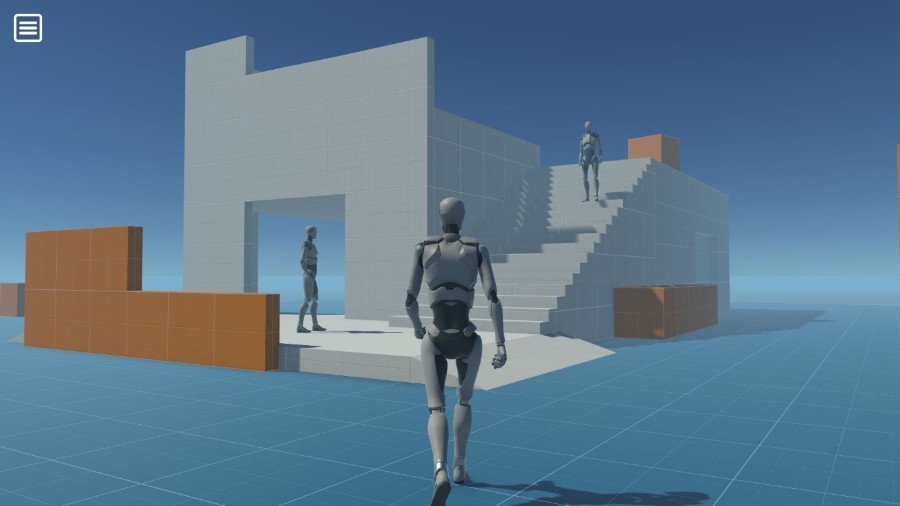
Third Person Character spawns the local player and moves it with the Simple KCC addon.
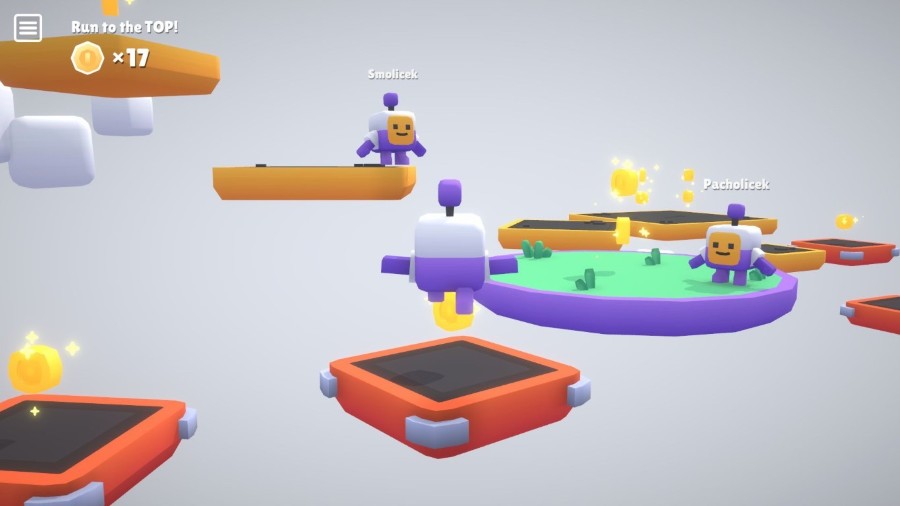
Platformer adds coins, falling platforms and a race to the flag, coins are collected through RPCs.
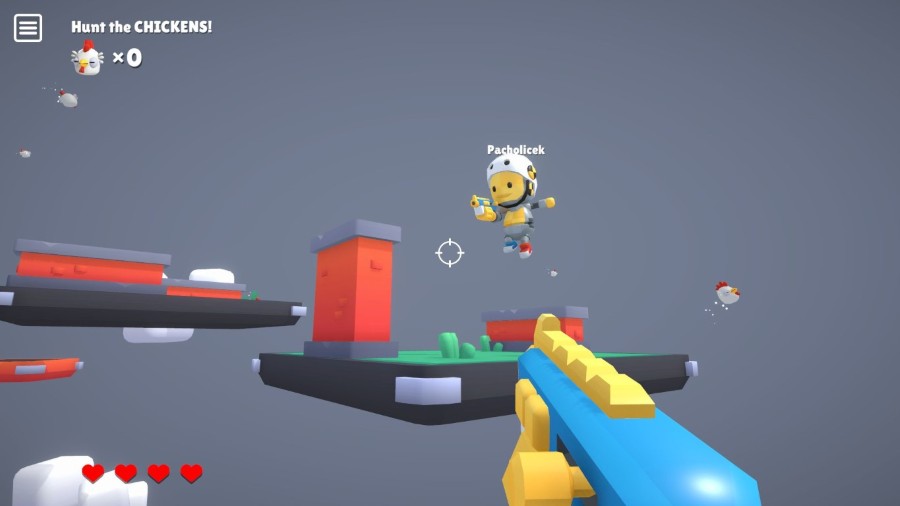
Shooter adds a hitscan weapon with a local hit decision, health and flying chickens.
Session and Menu
UIGameMenu.StartGame instantiates the Runner prefab and starts the session:
C#
var startArguments = new StartGameArgs()
{
    GameMode = Application.isEditor && ForceSinglePlayer ? GameMode.Single : GameMode.Shared,
    SessionName = RoomText.text,
    PlayerCount = MaxPlayerCount,
    // We need to specify a session property for matchmaking to decide where the player wants to join.
    // Otherwise players from Platformer scene could connect to ThirdPersonCharacter game etc.
    SessionProperties = new Dictionary<string, SessionProperty> { ["GameMode"] = GameModeIdentifier },
    Scene = sceneInfo,
};
GameModeIdentifier is set per scene to ThirdPersonCharacter, Platformer or Shooter, so matchmaking only joins sessions of the same example, see Network Runner.
After a disconnect or an unexpected shutdown the active scene is reloaded to reset the scene network objects.
Input
Each example has its own PlayerInput script and GameplayInput struct.
The struct does not implement INetworkInput because no input is sent over the network:
C#
public struct GameplayInput
{
    public Vector2 LookRotation;
    public Vector2 MoveDirection;
    public bool Jump;
    public bool Sprint;
}
PlayerInput accumulates the input actions in Update and exposes them as CurrentInput, a jump is stored with WasPressedThisFrame so a short press between two ticks is not lost, see Shared Authority Player Input.
Player reads CurrentInput in FixedUpdateNetwork and calls ResetInput at the end of the tick.
The touch controls live in the UIGameMenu prefab under MobileControls.
OnScreenStick and OnScreenButton components are bound to the gamepad controls, OnScreenLook and OnScreenDoubleTap in Common/Scripts add camera look by dragging and a jump by double tap.
Third Person Character
GameManager is a scene network object, in Spawned every client spawns the Player prefab for itself, see Spawning.
Player moves the character with the Simple KCC addon in FixedUpdateNetwork.
Only the jump state is a networked property, the move velocity is a plain field because no other client simulates the character.
Platformer
Coin is a scene network object under the state authority of the master client.
When the local player enters a coin, Coin.RequestCollect sends an RPC to the state authority and starts the local refresh timer right away for immediate feedback:
C#
[Rpc(RpcSources.All, RpcTargets.StateAuthority)]
private void RPC_RequestCollect(RpcInfo info = default)
{
    if (IsActive == false)
        return;

    _activationCooldown = TickTimer.CreateFromSeconds(Runner, RefreshTime);

    // We are using targeted RPC to send
    // collection message only to the right client (player)
    RPC_CoinCollected(info.Source);
}

[Rpc(RpcSources.StateAuthority, RpcTargets.All)]
private void RPC_CoinCollected([RpcTarget] PlayerRef playerRef)
{
    CoinCollected?.Invoke();
}
The state authority confirms the collection with a targeted RPC to the collecting player, who then raises the networked CollectedCoins, see RPCs.
The OnChangedRender callback on CollectedCoins plays the collect sound, see Change Detection.
FallingPlatform starts a fall timer when a player enters its trigger on the state authority.
Render estimates the active state from the timer instead of waiting for the networked value, so no client gets extra time to jump off because of its ping.
When a player enters the Flag on the state authority, GameManager.OnFlagReached checks MinCoinsToWin, stores the networked Winner and starts the GameOverTimer.
When the timer expires, the GameManager sends RPC_RespawnPlayer as a targeted RPC to every active player with a fresh spawn position and a coin reset.
Shooter
ChickenSpawner spawns 20 chickens on the state authority and respawns them after their death timer.
The chickens are stored in a NetworkArray, and Chicken keeps its start position, speed and travel distance in networked properties, so a new master client continues where the previous one stopped.
Chicken moves in FixedUpdateNetwork, its position is replicated with a Network Transform.
Players and chickens both use the Health component.
Every client decides its own hits, so damage is requested from the state authority of the target with an RPC:
C#
[Rpc(RpcSources.All, RpcTargets.StateAuthority)]
private void RPC_TakeHit(int damage, bool reportKill = false, RpcInfo info = default)
{
    if (IsAlive == false)
        return;

    CurrentHealth -= damage;
    _networkHits++;

    if (IsAlive == false)
    {
        // Entity died, let's start death cooldown
        CurrentHealth = 0;
        _deathCooldown = TickTimer.CreateFromSeconds(Runner, DeathTime);

        if (reportKill)
        {
            // We are using targeted RPC to send kill confirmation
            // only to the killer client
            RPC_KilledBy(info.Source);
        }
    }
}
TakeHit sends the RPC and plays the hit reaction on the shooting client right away, the other clients react to the networked _networkHits, see RPCs.
Player.Fire casts a Physics.Raycast and calls TakeHit on the Health of the hit object.
The networked _fireCount, _hitPosition and _hitNormal drive the fire effects in Render on all clients.
Lag compensation is disabled in the NetworkProjectConfig of the project.
Where to Go Next
After the Third Person Character, the Animations technical sample shows how to network character animation. The Simple KCC and Advanced KCC sample projects go deeper into character movement.
After the Platformer, the Multi Climb tutorial builds a platformer with the Advanced KCC addon, movement abilities and a complete game loop. The KCC sample projects show movement affectors such as jump pads, force fields and surfaces. Razor Madness is a 2D platformer.
After the Shooter, Projectiles Essentials compares the ways to network projectiles. Simple FPS adds a complete game loop, weapons, ammo, pickups, player statistics and a leaderboard. Projectiles Advanced covers homing, ricocheting and spray projectiles and grenades. BR200 uses the third person controls and tick-based animations of the Third Person Character and shows large player counts with sub-tick accurate shooting.
For a complete game, Tanknarok is a tank arena for up to four players with a lobby, rounds, scoring, powerups and networked projectiles. It ships as a Shared Authority and a Client Host project.
Back to top