Agent Avoidance
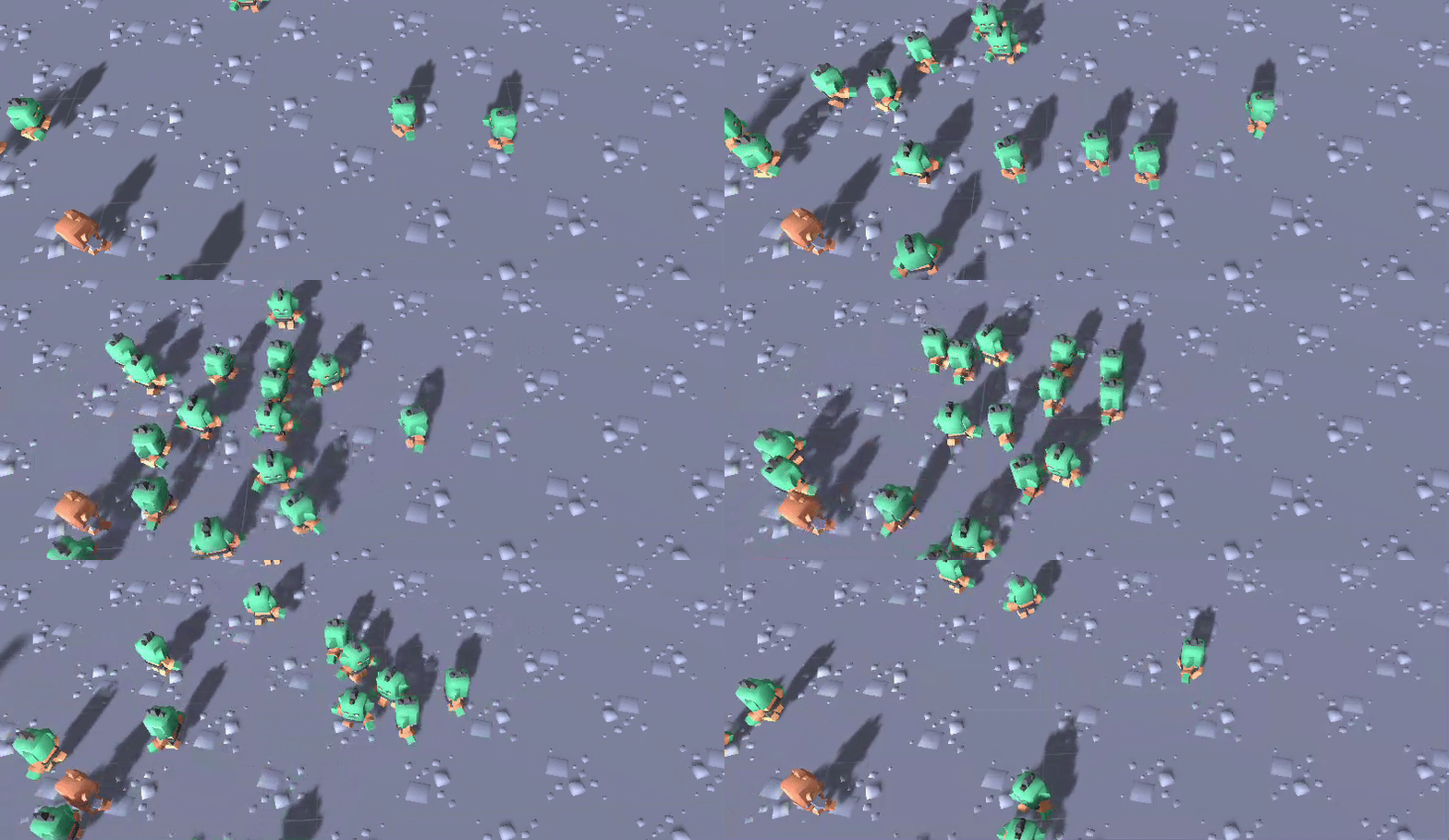
Quantum implements a variation of the collision avoidance technique called Hybrid Reciprocal Velocity Obstacles (HRVO).
Setting up Avoidance Agents
The NavMeshAvoidanceAgent component requires the entity to already have a NavMeshPathfinder and a NavMeshSteeringAgent component.
Simulation Config
The avoidance requires the following global parameters located on the SimulationConfig in the Navigation section.
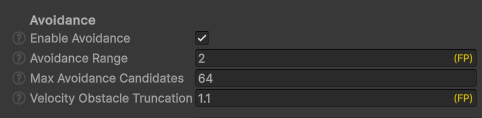
Disable EnableAvoidance to completely remove any overhead from the avoidance system.
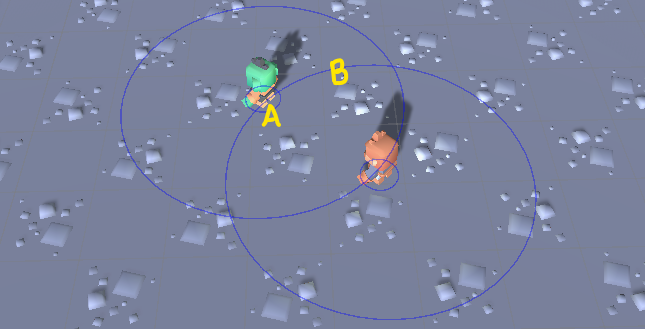
AvoidanceRange is crucial to the quality and performance cost of the avoidance system. It defines the range in which agents start to influence each other. The range is measured between the radii of two agents. (A) is the avoidance radius of an individual agent, and (B) is the avoidance radius of the agent plus the global AvoidanceRange.
C#
inRange = Distance(positionAgentA, positionAgentB) - radiusAgentA - radiusAgentB < AvoidanceRange
HeightThresholdForAvoidance is used with 3D navmeshes to quickly filter out agents on other height levels, for example on different floors. It should be around the height of the character.
MaxAvoidanceCandidates defines the maximum number of avoidance candidates used by each agent. More candidates require more memory and CPU but also increase the quality. The higher the AvoidanceQuality and the more agents that are influencing each other, the higher this number has to be.
VelocityObstacleTruncationFactor defines how much a VO is truncated for non-moving obstacles.
NavMeshAgentConfig - Avoidance
| Setting | Description |
|---|---|
AvoidanceType |
Sets the active avoidance mode of the agent, see the types below. |
AvoidanceQuality |
Sets the avoidance quality of the agent. The higher the quality the more candidates are computed to avoid other agents, see the qualities below. |
Priority |
The agent Priority works as in Unity. Default = 50, most important = 0, least important = 99. Because the avoidance system relies on reciprocity, the avoiding-work (who will avoid whom, and by how much) is always split between the agents. Higher priority agents do only 25% of the work while agents of the same priority split the work 50/50. |
AvoidanceRadius |
The avoidance radius of this agent should roughly match the visual character size. Together with the AvoidanceRange from the SimulationConfig it is used during the avoidance broadphase that creates agent pairs that influence each other. |
AvoidanceLayer |
Sets the avoidance layer of this agent. The Unity layers are used for AvoidanceLayer and AvoidanceMask to filter agents. |
AvoidanceMask |
Sets the avoidance mask of this agent. Agents that have an AvoidanceLayer that is not contained in the mask will be ignored. |
MaxAvoidanceCandidates |
Sets the maximum number of avoidance candidates for this agent type. The global max is set in the SimulationConfig. |
ReduceAvoidanceAtWaypoints |
Solving avoidance while also trying to follow waypoints to steer around corners or through narrow passages is hard. To mitigate the problem and to accept visual overlapping in favor of agents blocking each other toggle ReduceAvoidanceAtWaypoints. |
ReduceAvoidanceFactor |
The avoidance applied when an agent is getting close to a waypoint is reduced. The ReduceAvoidanceFactor value is multiplied with the agent radius and then represents the distance in which the avoidance influence is reduced quadratically. |
AvoidanceCanReduceSpeed |
This option allows velocity candidates to decrease the agent's speed, making avoidance maneuvers look more natural. |
ShowDebugAvoidance |
Defines if velocity obstacles and candidates are drawn as gizmos during run-time. |
The AvoidanceType types:
None: the agent will not avoid others but others will avoid it.Internal: the agent will actively avoid other agents using the internal avoidance systems.
The AvoidanceQuality qualities:
Fast: only a minimum of avoidance candidates are computed.Good: a reasonable number of candidates are calculated with the best cost-benefit ratio.Best: the maximum number of collision free candidates are generated.
Setting up Avoidance Obstacles
Avoidance Obstacles are static or moving entities that influence the avoidance behavior of Navmesh agents but are not agents themselves. They do not influence the path finder and should not be used to block parts of the game level.
A NavMeshAvoidanceObstacle component requires a Transform2D or Transform3D component to work properly.
If the entity that has a NavMeshAvoidanceObstacle component is moving, other agents require its velocity information to predict its future position and the NavMeshAvoidanceObstacle.Velocity has to be set manually.
Use NavMeshAvoidanceObstacle.IsActive to enable or disable the obstacle.
Add a NavMeshAvoidanceObstacle to a Quantum Entity Prototype in Unity.
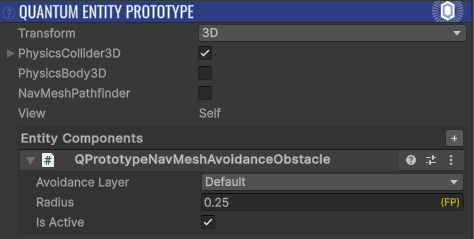
Or add it in code.
C#
var c = f.Create();
f.Set(c, new Transform2D { Position = new FPVector2(8,-2) });
var obstacle = new NavMeshAvoidanceObstacle();
obstacle.AvoidanceLayer = 0;
obstacle.Radius = FP._0_50;
obstacle.Velocity = FPVector2.Zero;
f.Set(c, obstacle);
Jittering Agents
The agent movement, particularly their movement direction, can be unstable due to the nature of the avoidance calculations in conjunction with fixed-point math. This causes the agents to jitter visibly.
With the default ExponentialDecay interpolation mode (Quantum 3.1) the view rotation is already smoothed, see Entity View.
Otherwise the Angular Speed of the agents can be tuned down, or view smoothing can be added. This can be done by overriding the QuantumEntityView class and adding blending to the rotation when applying the transforms.
C#
namespace Quantum {
  using UnityEngine;

  public class SmoothRotationEntityView : QuantumEntityView {
    public float Blending = 15;

    protected override void ApplyTransform(ref UpdatePositionParameter param) {
      var position = param.PositionTeleport ? param.UninterpolatedPosition : param.NewPosition + param.ErrorVisualVector;

      // Unity's quaternion multiplication is equivalent to applying rhs then lhs (despite their doc saying the opposite)
      var rotation = param.RotationTeleport ? param.UninterpolatedRotation : param.ErrorVisualQuaternion * param.NewRotation;

      transform.position = position;
      // snap on teleports, otherwise blend the rotation
      transform.rotation = param.RotationTeleport ? rotation : Quaternion.Lerp(transform.rotation, rotation, Time.deltaTime * Blending);
    }
  }
}
Last updated on
Back to top