Project Architecture
Project Organization
The project consists of three independent examples, organized in the following folder structure:
| /1-third_person_character | Third Person Character example |
| /2-platformer | Platformer example |
| /3-shooter | Shooter example |
| /shared | Shared resources (UI scenes, scripts, materials, audio) used across all examples |
| /3rdparty | Third-party assets (models, textures, sounds, animations) |
| /addons/fusion | Photon Fusion GDExtension addon |
| menu.tscn | Main menu scene (project entry point) |
Each example folder contains a scripts/ subfolder with GDScript files and a scenes/ subfolder with scene files (.tscn).
The /shared folder contains the connection UI, game camera, and audio components used by all examples.
Make sure to check this folder when looking for common functionality.
Shared Components
Three shared components form the backbone of the project:
SceneContext (shared/scripts/scene_context.gd) is an autoloaded singleton that provides global references to the local player, the active game manager, the game camera and the connection UI. Other scripts access these through SceneContext.local_player, SceneContext.game, etc. It emits a local_player_changed signal that the UI and camera systems listen to.
UIConnection (shared/scripts/ui_connection.gd) manages the full Fusion connection flow and is shared by all three examples. It handles nickname and room name input, connecting to Photon Cloud, joining or creating a room, and toggling the menu with the Esc key. Once a room is joined, the game manager of the active example takes over and spawns the local player.
GameCamera (shared/scripts/game_camera.gd) follows a target transform set by the player.
When no player is present (e.g., before connecting), it resets to its initial position.
Networking Overview
Fusion Starter uses the shared-authority networking model where each client has authority over its own objects. There is no dedicated server or host making decisions for all players, which eliminates the need for prediction and rollback and makes the code simpler.
For a deeper understanding of these concepts, see the Fusion Godot Introduction.
Core Classes
The sample relies on three Fusion classes:
Fusion- Singleton managing the connection lifecycle, room membership and RPCs.
The connection flow is:Fusion.connect_to_photon(user_id)→Fusion.join_or_create_room(room_name, options).
See Connection for details.FusionSharedReplicator- Node added to each networked object (players, coins, chickens, platforms).
It handles property replication and provides thehas_authority()check that gates input processing and state changes to the owning client.FusionSpawner- Node used by game managers to spawn and despawn networked objects across all clients.
Authority Pattern
Every networked player and game object checks FusionSharedReplicator.has_authority() before processing input or modifying state.
This ensures that only the owning client drives its objects:
GDScript
func _physics_process(delta: float) -> void:
    if not replicator.has_authority():
        return
    # Process input, apply movement, update state...
Property Replication
Properties replicated by FusionSharedReplicator are prefixed with net_ by convention so they are easy to identify in the code. When the authority changes a replicated property, all other clients receive the update.
Examples include net_coins, net_score, net_health, net_is_grounded and net_nickname.
RPC Patterns
The sample uses three RPC patterns via RPCs:
- Broadcast RPCs (
@rpc("call_local")) - Execute on all clients including the sender.
Used for visual/audio effects like jump and landing sounds that every player should see and hear.
Called withFusion.rpc(method). - Targeted RPCs (
@rpc("any_peer")) - Sent to a specific client, typically the object's authority.
Used for actions that need validation, likerpc_take_damagewhere the attacker asks the victim's authority to apply damage.
Called withFusion.rpc_to(Fusion.TARGET_OWNER, method, args). - Player RPCs (
@rpc) - Sent to a specific player by ID.
Used for callbacks likerpc_kill_confirmedwhere the victim's authority notifies the killer to award score.
Called withFusion.rpc_to_player(player_id, method).
1 - Third Person Character
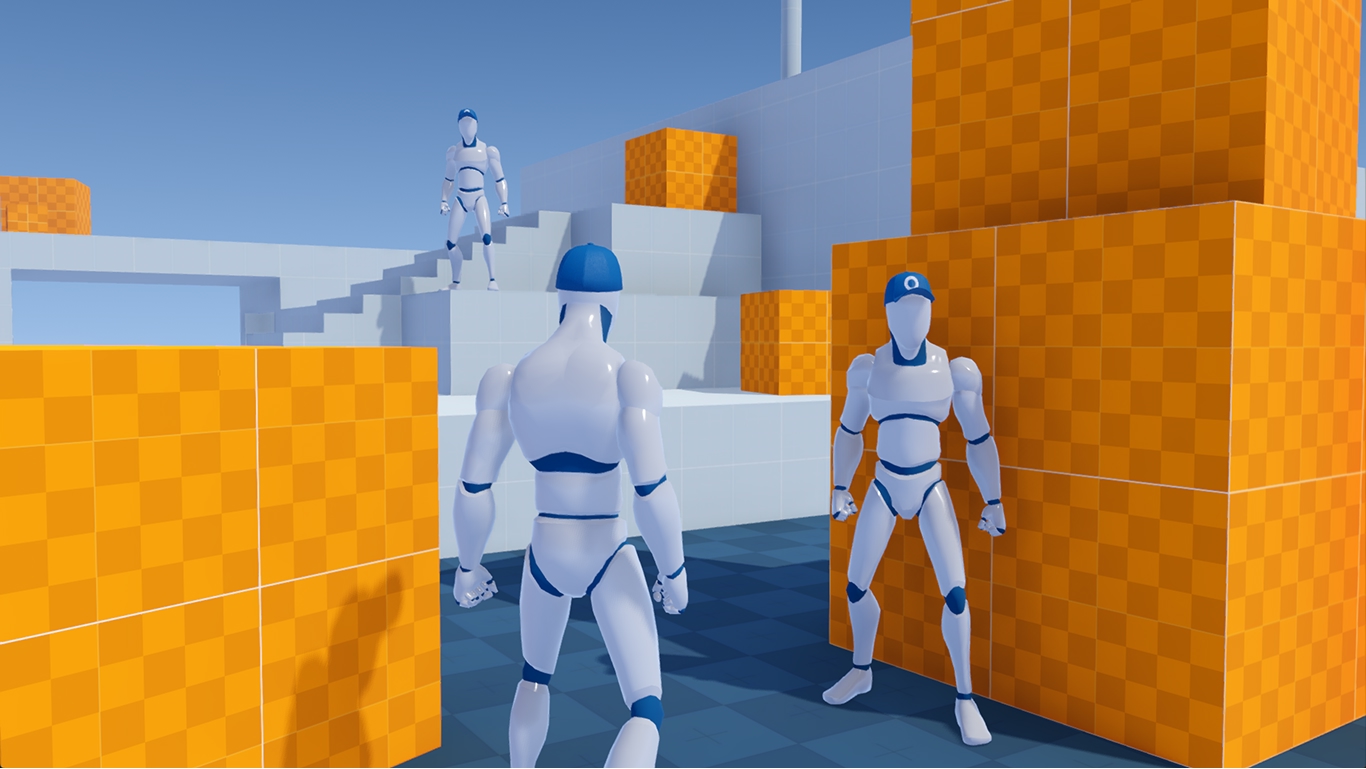
The Third Person Character example is the simplest of the three. Players spawn as third-person characters, walk, jump, and look around in a prototype environment. It demonstrates the basics of networked character movement with Fusion.
Key Scripts
ThirdPersonGame (1-third_person_character/scripts/game.gd) is the game manager that spawns each player when they join a room and places them near the spawn point.
ThirdPersonPlayer (1-third_person_character/scripts/player.gd) extends CharacterBody3D and handles WASD movement, gravity, jumping and walk animations.
Architecture Highlights
All the following features are implemented in the ThirdPersonPlayer (1-third_person_character/scripts/player.gd) script:
- Movement - Only the authoritative client reads input and applies velocity relative to the character's facing direction using
move_and_slide(). - Camera - Mouse motion rotates the character horizontally and tilts the camera vertically. The shared
GameCamerafollows the player's camera handle. - Animations - A locomotion blend space is driven by the character's local-space velocity, smoothly interpolated each frame.
- Sounds - Footstep sounds are synced to the walk animation. A landing sound plays after a fall.
2 - Platformer
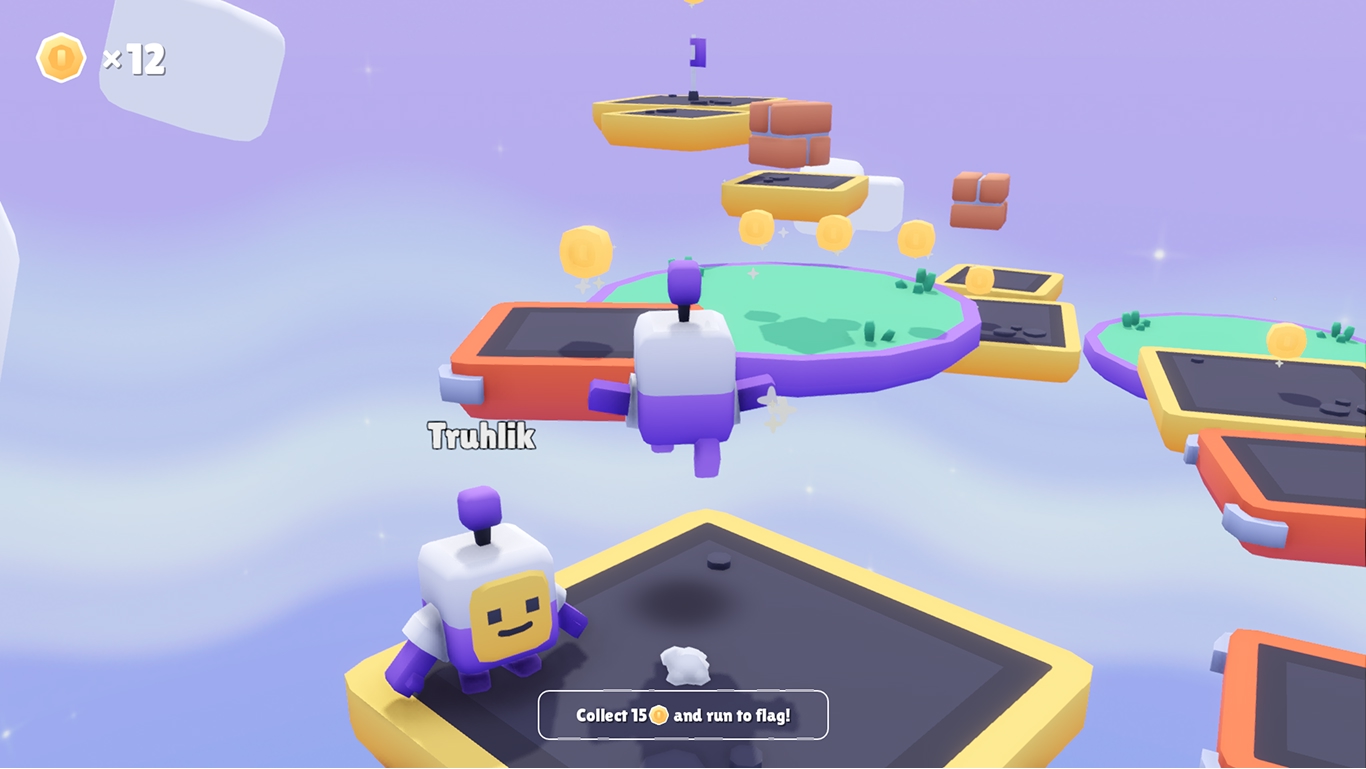
The Platformer example builds on the Third Person Character foundation and adds interaction with game objects, RPCs for visual effects, and a complete game loop. Players race to collect 15 coins and reach the top flag to win the round. After each round, all players are reset to the starting point.
Key Scripts
PlatformerGame (2-platformer/scripts/game.gd) manages the game loop, spawning players, tracking the round winner via net_winner, and resetting the round after a game-over timer expires.
PlatformerPlayer (2-platformer/scripts/player.gd) extends CharacterBody3D and adds double jump, coin collection and an orbit camera. Replicated properties net_coins and net_nickname keep the coin count and player name in sync across all clients.
Coin (2-platformer/scripts/coin.gd) is a collectible Area3D.
Collection is validated by the coin's authority via RPC, while the collecting client hides the coin immediately for instant feedback.
FallingPlatform (2-platformer/scripts/falling_platform.gd) uses a replicated network-time timestamp so all clients can independently predict when the platform falls and reactivates.
Flag (2-platformer/scripts/flag.gd) triggers the win condition when a player with enough coins reaches the top.
Architecture Highlights
- Double Jump - The first jump enables a double jump, the second consumes it. Both reset on landing.
- Orbit Camera - The camera pivot is detached from the player and synchronized each physics frame. Mouse input rotates the pivot, while the character model faces the movement direction.
- Coin Collection Flow - The collector sends an RPC to the coin's authority, which validates and confirms. The collector then increments
net_coins. - Proxy Prediction - Coins and falling platforms react immediately on the local client without waiting for authority confirmation. The falling platform uses a replicated network-time timestamp to stay in sync across all clients.
- Round Reset - After the game-over timer, the authority broadcasts a reset RPC. Each client respawns its player and clears
net_coins. - UI -
UIPlatformer(2-platformer/scripts/ui_platformer.gd) displays the coin counter and winner announcement via signals.
3 - Shooter
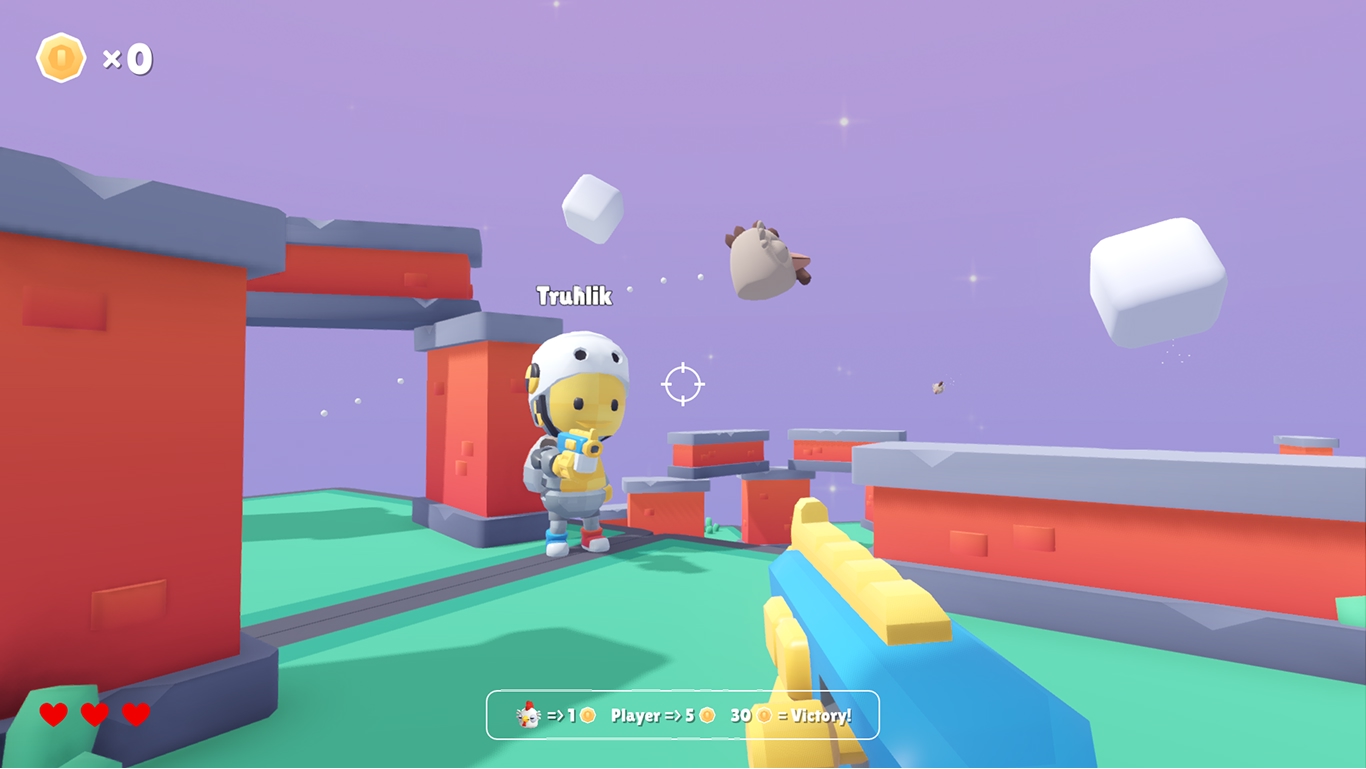
The Shooter example is the most complex of the three.
It showcases a first-person shooter where players compete to be the best hunter by shooting flying chickens and each other. The score resets when a player dies, either by falling from a platform or being killed by another player. The first player to reach 30 points wins the round.
Key Scripts
ShooterGame (3-shooter/scripts/game.gd) manages player spawning with randomized spawn points, tracks the best hunter, and ends the round when a player reaches the score target.
ShooterPlayer (3-shooter/scripts/player.gd) extends CharacterBody3D with first-person camera controls, a raycast weapon, and a Health component. Replicated properties keep score (net_score), fire effects (net_fire_count) and camera pitch (net_pitch) in sync across clients.
Health (3-shooter/scripts/health.gd) is a reusable networked health component shared by players and chickens. Damage is sent via RPC to the victim's authority, which decrements health and notifies the attacker on a fatal hit.
ChickenManager (3-shooter/scripts/chicken_manager.gd) runs only on the master client and maintains a population of 20 chickens, respawning dead ones at random positions.
Chicken (3-shooter/scripts/chicken.gd) extends CharacterBody3D, flying forward and self-destructing after traveling a set distance. Each chicken has a Health component, so the same damage flow applies as for players.
Architecture Highlights
- Raycast Weapon - A
RayCast3Dfires on demand. If the ray hits something with aHealthcomponent, damage is applied. - Damage Flow - Damage is sent via RPC to the victim's authority, which decrements health. On a fatal hit, the authority notifies the attacker to award score. A local hit effect plays immediately for responsive feedback.
- Fire Synchronization - The authority increments a replicated fire counter instead of sending per-shot RPCs. Remote clients detect the change and play muzzle flash, sound and impact effects at the replicated hit position.
- Chicken Spawning - The master client maintains a flock of 20 chickens, respawning dead ones at new random positions.
- Spawn Points - Players spawn at random positions with a small offset to prevent overlap.
- Death and Respawn - On death, the player becomes invisible and a particle effect plays. After a short timer, the game manager respawns the player at a new spawn point with full health.
- UI -
UIShooter(3-shooter/scripts/ui_shooter.gd) displays health, score, a hit indicator, the current best hunter and the winner announcement.