Project Architecture - Host Mode
The Unity Project
All game scripts are located in the Scripts folder under the Tanknarok namespace.
The project is organized into the following structure:
| /Scripts | Core managers: FusionManager, GameManager, LevelManager |
| /Scripts/Player | Tank controls, weapons, shots, input handling and visual effects |
| /Scripts/Level | Level logic, hazards, spawn points and powerups |
| /Scripts/Camera | Camera placement, bounds and screen effects |
| /Scripts/Audio | Sound effects and music |
| /Scripts/UI | User interface components |
| /Scripts/Utility | General-purpose utilities |
| /FusionHelpers/Pooling | Object pool implementations |
The project uses four scenes:
- MainScene (build index 0): Always loaded, contains
FusionManagerand persistent UI - Lobby: Loaded additively for the pre-game lobby
- Level1, Level2: Gameplay arenas loaded additively during matches
High Level Breakdown
The game starts from the UIMain script which presents the main menu. The player selects Host a Game or Join a Game, picks a region, and optionally enters a room name.
GameManager is the central networked singleton. It manages the player registry via a NetworkDictionary, tracks the current PlayState (Lobby, Level, Transition) and controls round logic including scoring and win conditions.
LevelManager handles scene loading (lobby and gameplay levels), transition sequences with visual effects, player spawning and countdown timers.
Player is the tank avatar. It manages health, lives, and a TankStage state machine that drives visual state transitions through [OnChangedRender] callbacks.
Session Management
The FusionManager implements INetworkRunnerCallbacks and manages the entire connection lifecycle. It creates the NetworkRunner, starts the session and spawns the GameManager when the session is established.
C#
public async Awaitable<StartGameResult> StartSession(GameMode gamemode, string region, string sessionName)
{
    await CreateRunnerIfNeeded();
    // ...
    StartGameResult result = await CurrentRunner.StartGame(new StartGameArgs
    {
        GameMode = gamemode,
        SessionName = sessionName,
        Scene = sceneInfo,
        SceneManager = _levelManager,
    });

    if (result.Ok && CurrentRunner.IsServer)
    {
        CurrentRunner.Spawn(_gameManagerPrefab);
    }

    return result;
}
Late joining is not supported during gameplay. When the session transitions from lobby to gameplay, the session is also closed and hidden from matchmaking lists. It reopens when returning to the lobby.
Game Flow and State
The GameManager tracks the overall game state using a networked PlayState enum:
C#
public enum PlayState { Lobby, Level, Transition }

[Networked] public PlayState CurrentPlayState { get; set; }
[Networked, Capacity(MaxPlayers)] public NetworkDictionary<int, Player> AllPlayers => default;
[Networked] public TickTimer CountdownTimer { get; set; }
Spawning: The GameManager is responsible for spawning tanks for newly joined clients, assigning a unique PlayerIndex (0 to MaxPlayers) to them in the process.
The PlayerIndex is used in place of Fusion's PlayerRef when a logical player number is needed, such as when assigning the differently colored tank materials. Fusion's PlayerRef will assign values past the session's MaxPlayers, while PlayerIndex can be reused by later joining players.
Lobby: Players spawn as tanks and can move around freely. Each player must toggle Ready before the match begins. The UIReadyUpManager tracks ready states and invokes OnAllPlayersReady when all players are ready.
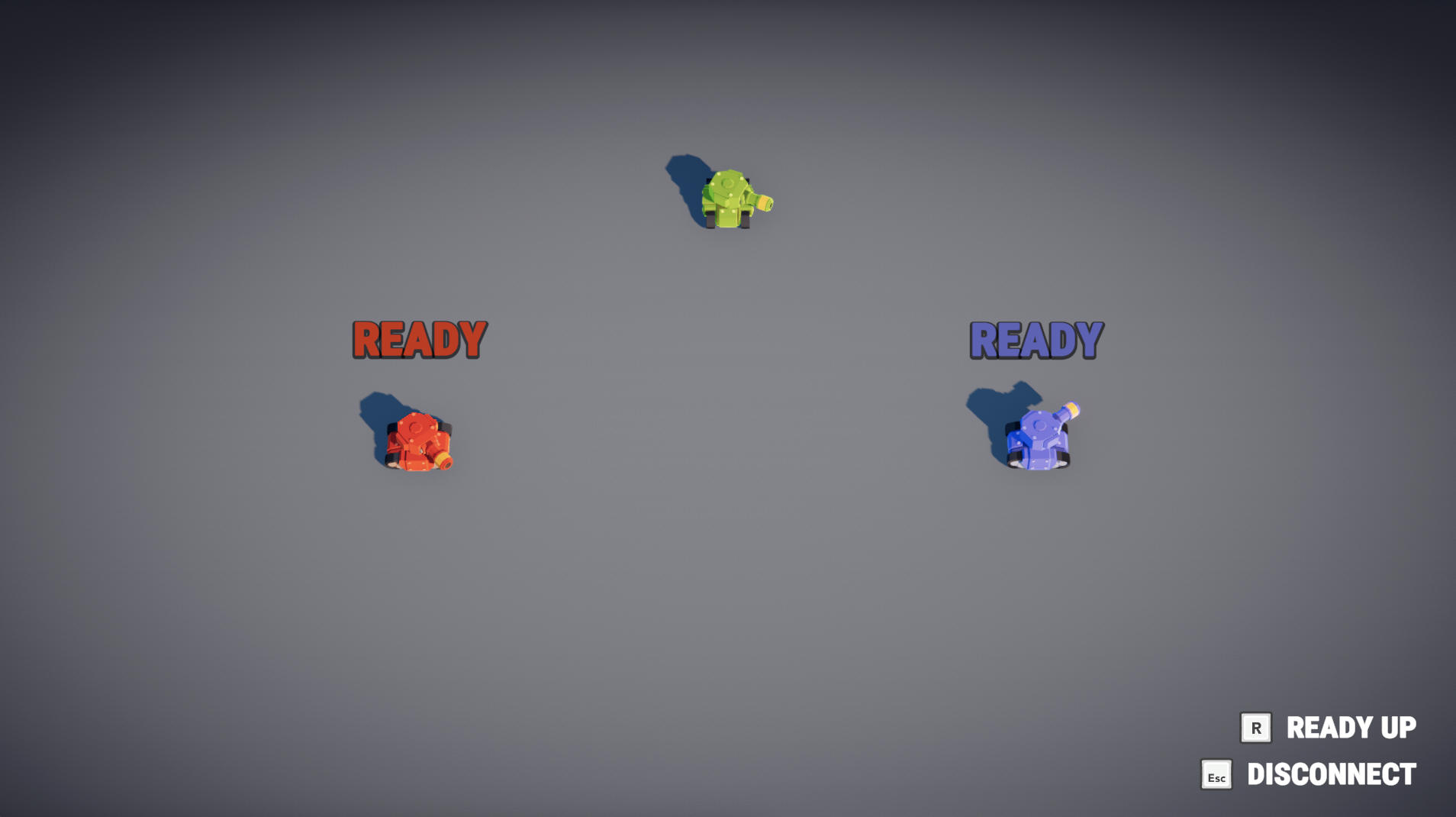
Countdown: When all players are ready, scores are reset and a random level is loaded. The LevelManager starts a CountdownTimer and shows a visual countdown. Once the timer expires, CurrentPlayState is set to Level and InputController.FetchInput is enabled.
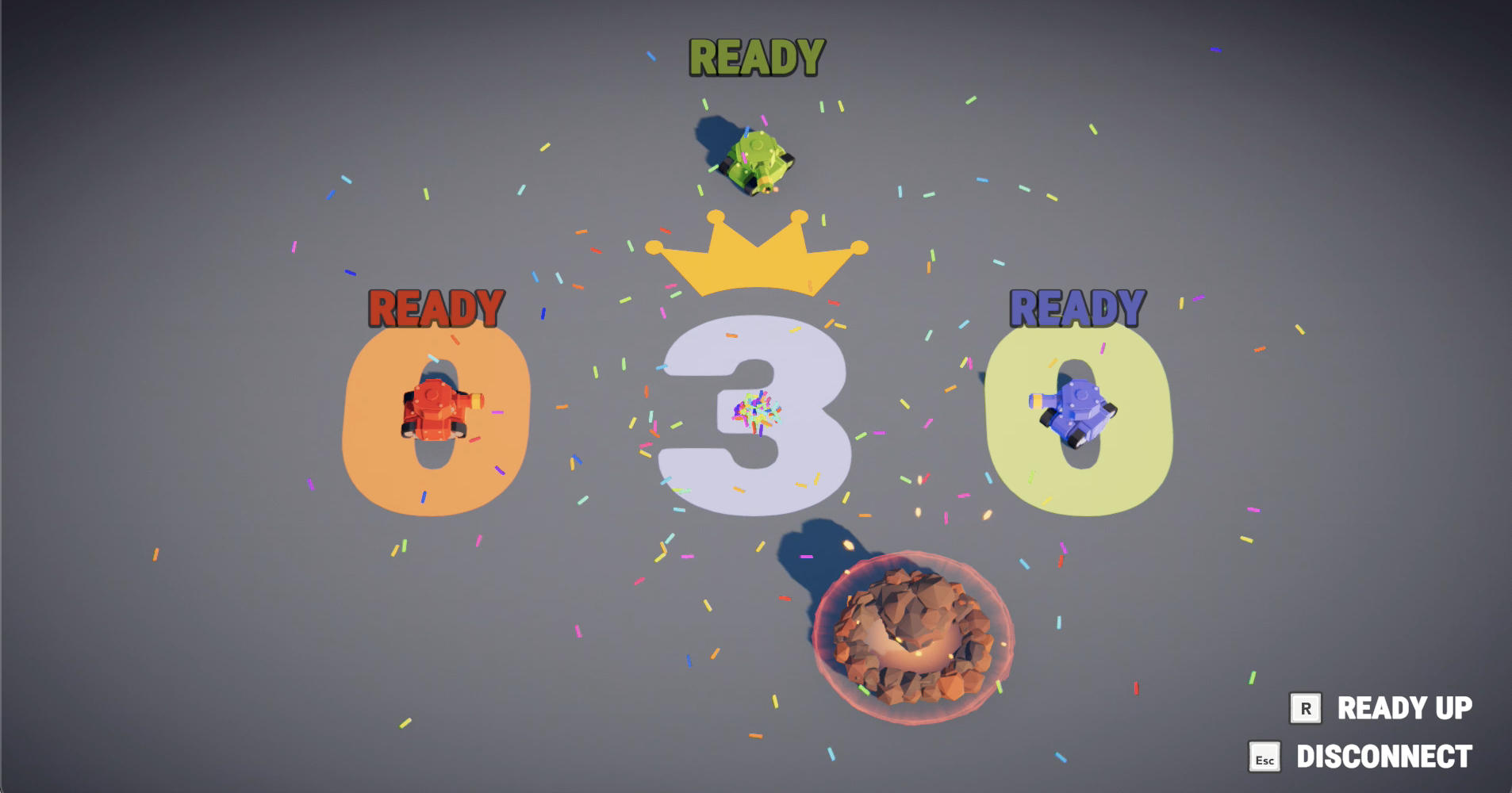
Round End: When a player's tank is destroyed, OnTankDeath counts remaining active players. If only one tank remains, that player scores a point. The first player to reach 3 points (MaxScore) wins the match and the game returns to the lobby, otherwise a random new level is loaded. If a player disconnects during gameplay and only one player remains, the game returns to the lobby.
Level Management
The LevelManager extends NetworkSceneManagerDefault to add custom transition sequences. Scenes are loaded and unloaded additively via Runner.LoadScene and Runner.UnloadScene.
A level index of -1 represents the lobby, while indices 0 and above map to gameplay levels stored in a _levels array.
Unload transition (UnloadSceneCoroutine): When leaving a level, the manager sets the play state to Transition, disables input, teleports each player out with a staggered delay, shows intermediate scores if there was a round winner, then proceeds with the base scene unload.
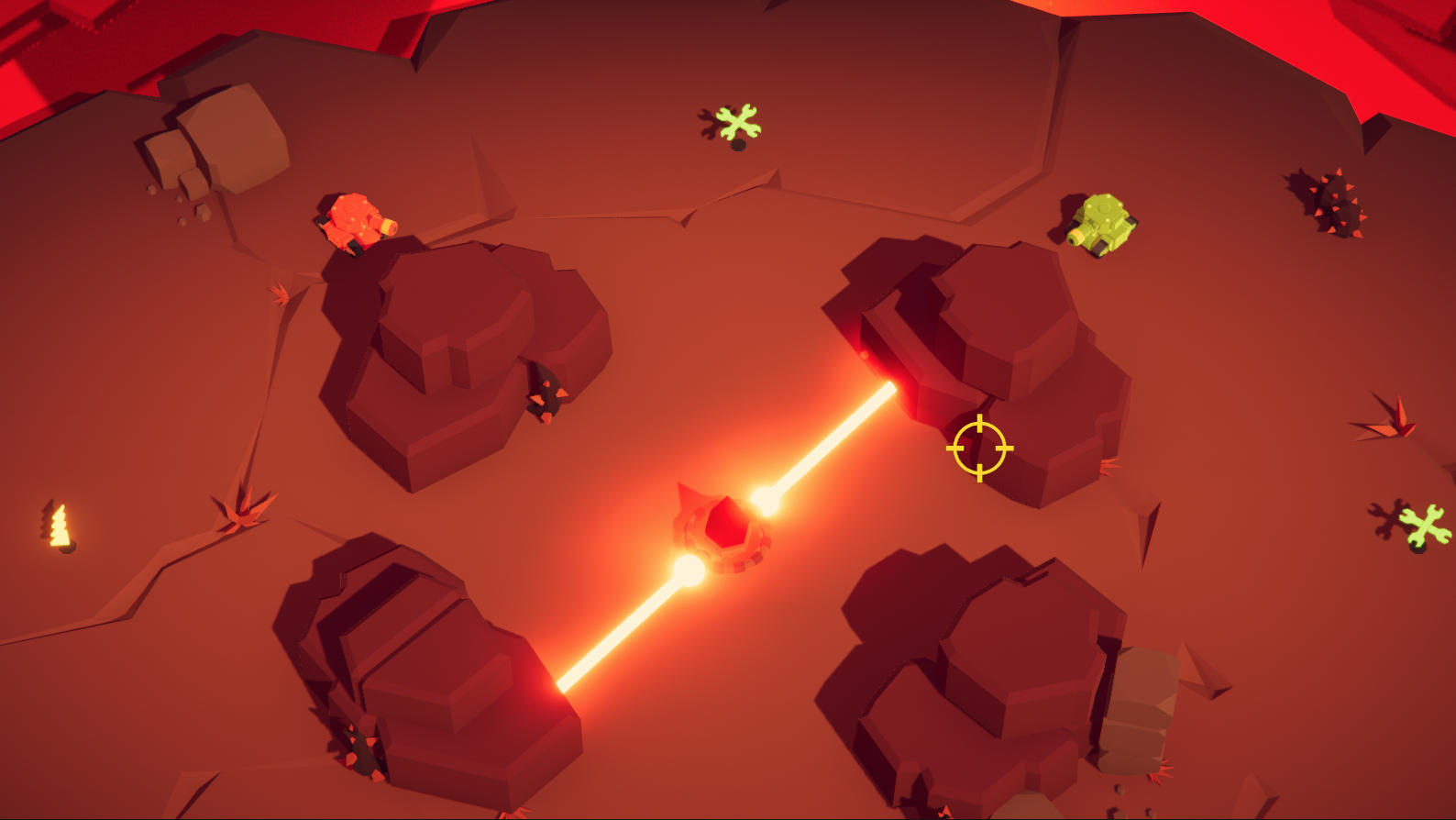
Load transition (OnSceneLoaded): After the new scene loads, a glitch screen effect plays while the level is activated. The LevelBehaviour is found in the loaded scene and applies level-specific lighting settings. All players are respawned at SpawnPoint positions with staggered timing.
Player
The Player class is the tank avatar and extends NetworkBehaviour. It uses a NetworkCharacterController for movement and stores all gameplay-relevant state as networked properties:
C#
public enum TankStage { New, TeleportOut, TeleportIn, Active, Dead }

[Networked, OnChangedRender(nameof(OnStageChanged))] public TankStage Stage { get; set; }
[Networked] public int Health { get; set; }
[Networked] public int Score { get; set; }
[Networked] private Angle _aimDirection { get; set; }
[Networked] private TickTimer _respawnAnimationTimer { get; set; }
[Networked] private TickTimer _invulnerabilityTimer { get; set; }
[Networked] public int Lives { get; set; }
[Networked] public bool Ready { get; set; }
[Networked] public int PlayerIndex { get; set; }
State Machine: The TankStage enum drives all visual transitions through the OnStageChanged callback. TeleportIn plays a spawn effect, Active shows the tank and enables the collider, Dead triggers the death explosion and hides the tank, and TeleportOut plays the despawn effect during level transitions.
Movement and Aim: In FixedUpdateNetwork, the tank reads input via GetInput() and calls NetworkCharacterController.Move() for movement. The aim direction is stored as a networked Angle and the turret rotation is interpolated in Render().
Damage System: ApplyAreaDamage(impulse, damage) applies a knockback impulse to the NetworkCharacterController.Velocity and reduces Life. If damage exceeds remaining health, the tank dies and loses a life. Players have 3 lives per round and automatically respawn after a configurable delay if lives remain. A brief invulnerability period (0.1s after damage, 1s after respawn) prevents instant re-kills.
Respawn: The Respawn() method schedules a delayed respawn. CheckRespawn() starts the respawning process when the _respawnDelaySeconds timer reaches zero- it will retrieve a SpawnPoint, teleport the character controller and set Stage to TeleportIn. After the 1-second respawn animation timer expires, ResetPlayer() transitions to Active.
Weapons and Shooting
Four weapons are availble for tanks to use, three of which are equippable via powerups:
- Primary: The default weapon, shoots projectiles that explode after traveling a medium distance. Used when no powerup weapon is equipped.
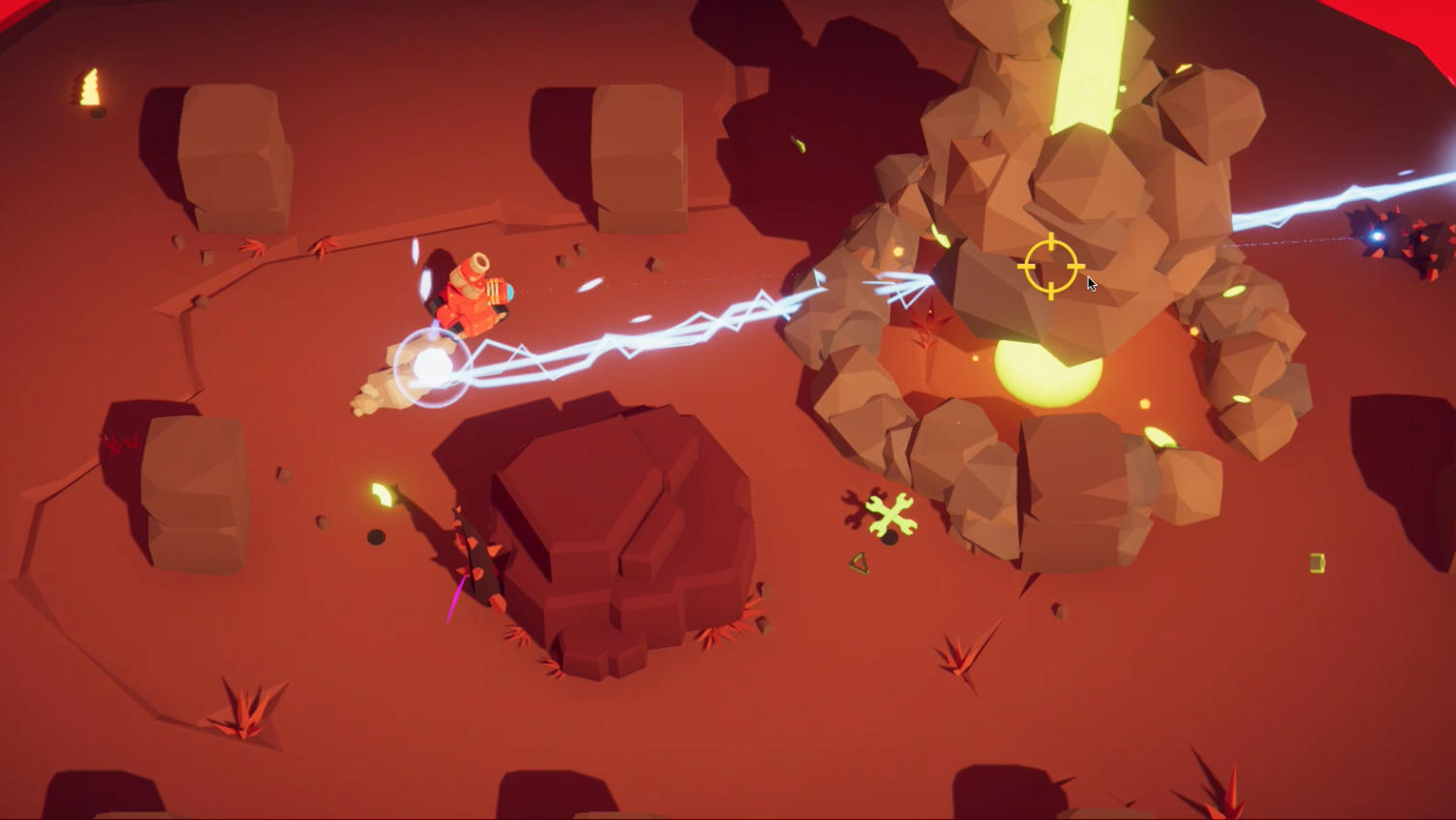
- Gigavolt: Shoots hitscan laser beams that do high damage on impact. Has a laser sight for precision aiming.
- Chaingun: Rapidly fires fast-moving projectiles. Effective at dealing with multiple opponents at once.
- Grenades: The only secondary weapon, shoots arcing grenades that explode upon hitting the ground. Can be shot over obstacles thanks to its upwards trajectory.
Internally, the WeaponManager tracks two weapon slots (primary and secondary) as networked ActiveWeapon structs:
C#
public struct ActiveWeapon : INetworkStruct
{
    public byte Index;
    public TickTimer Cooldown;
    public byte Ammo;
}
The Weapon behaviour handles the shooting logic for each of the equippable weapons. Each equippable weapon is included in the player prefab rather than spawning new NetworkObjects at runtime, since there are only a few types of weapons in total.
Weapons store shots in a NetworkArray<ShotState> used as a circular buffer. Shots are not NetworkObjects. Rather, they are lightweight structs that store only their start/end tick, initial position, and direction. A projectile shot's current position is extrapolated from the starting values rather than updating constantly to avoid unnecessary bandwidth usage.
This "Projectile Data Buffer" concept is covered in-depth in the Projectiles Essentials sample.
C#
public struct ShotState : INetworkStruct
{
    public int StartTick;
    public int EndTick;
    public Vector3 Position;
    public Vector3 Direction;
}
Hitscan weapons fire a lag-compensated raycast immediately using Runner.LagCompensation.Raycast and store the resulting hit point.
Projectile weapons store the initial position and direction; the Weapon.FixedUpdateNetwork loop then checks for collisions each tick using lag-compensated raycasts along the extrapolated projectile path.
Visual rendering happens in Weapon.Render() which creates local Shot GameObjects (not networked) to visualize each active ShotState, including muzzle flashes, projectile trails and detonation effects.
Input System
In Host Mode, the InputController class extends NetworkBehaviour and implements INetworkRunnerCallbacks to hook into Fusion's input polling via the OnInput callback. It is attached to the player prefab, so one exists for every networked player, but only the one for the local player will collect inputs.
Input is packed into a NetworkInputData struct:
C#
public struct NetworkInputData : INetworkInput
{
    [Flags]
    public enum InputButton
    {
        FirePrimary = 1 << 0,
        FireSecondary = 1 << 1,
        ToggleReady = 1 << 2
    }

    public NetworkButtons Buttons;
    public Vector2 AimDirection;
    public Vector2 MoveDirection;
}
Keyboard and Mouse: Uses Unity's new Input System via an InputActions asset. Movement comes from the Gameplay.Movement action. Aim direction is calculated by raycasting from the camera through the mouse position to a ground plane.
Touch Input: Divides the screen into two halves. The left half of the screen controls movement and the right half controls aiming. Touch deltas are accumulated and converted into normalized direction vectors. Releasing the right touch fires the primary weapon; tapping the left side without movement fires the secondary weapon.
Inputs are accumulated in Update, consumed in Fusion's OnInput callback, and used within the Player via GetInput. A static InputController.FetchInput flag is used to pause all input during level transitions.
Powerup System
PowerupSpawner is a NetworkBehaviour that manages one of the powerups in the arena. It stores the active powerup index as a networked property and uses a TickTimer for respawn timing. When a player's collider enters the trigger, the powerup is applied and a new random powerup is rolled.
Powerups are defined as PowerupElement ScriptableObjects, loaded from Resources/PowerupElements.
Two types are available:
- WeaponPowerupElement: Installs a new weapon into the player's primary or secondary slot via
WeaponManager.InstallWeapon - HealthPowerupElement: Restores the player's health back to full
Object Pooling
The sample uses pooling to avoid frequent instantiation and destruction of visual effects. LocalObjectPool is a static singleton pool for non-networked MonoBehaviour objects (particle effects, muzzle flashes, teleport effects, UI indicators).
The ObjectPool<T> base class provides the generic pooling implementation with per-prefab dictionary tracking. A NetworkObjectPool<T> variant is also available for pooling Fusion NetworkObject instances.
Objects are acquired via LocalObjectPool.Acquire(prefab, position, rotation, parent) and returned to the pool by components that inherit from AutoReleasedFx, which automatically releases the object back to the pool after its particle system completes.
UI System
UIMain is the app entry point and manages the connection flow: start menu, game mode selection (Host/Join), region dropdown, room name input, connection progress, and displaying errors as popups.
UIReadyUpManager tracks which players are ready in the lobby using pooled indicator elements. Once all players are ready, it will execute a callback which starts gameplay.
UICountdownManager displays an animated countdown with sound effects before each round starts.
UIScoreManager handles both intermediate round scores (between levels) and the final match winner display in the lobby with a crown for the winner.
Last updated on
Back to top