クイックスタート
Interest Management アドオンを統合する最も簡単な方法は、プレイヤーオブジェクト/プレハブにコンポーネントを直接追加することです。
- プレイヤーオブジェクト/プレハブを開く。
- ルートゲームオブジェクトを選択し、
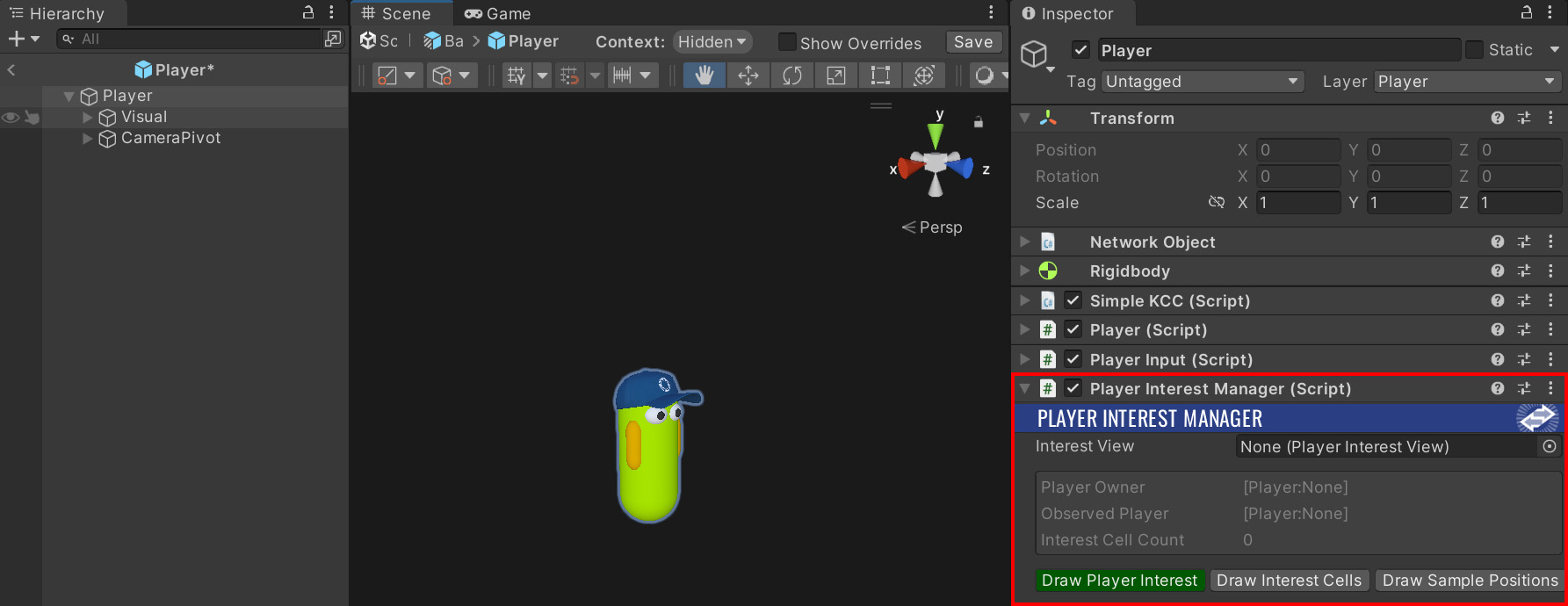
PlayerInterestManagerコンポーネントを追加する。
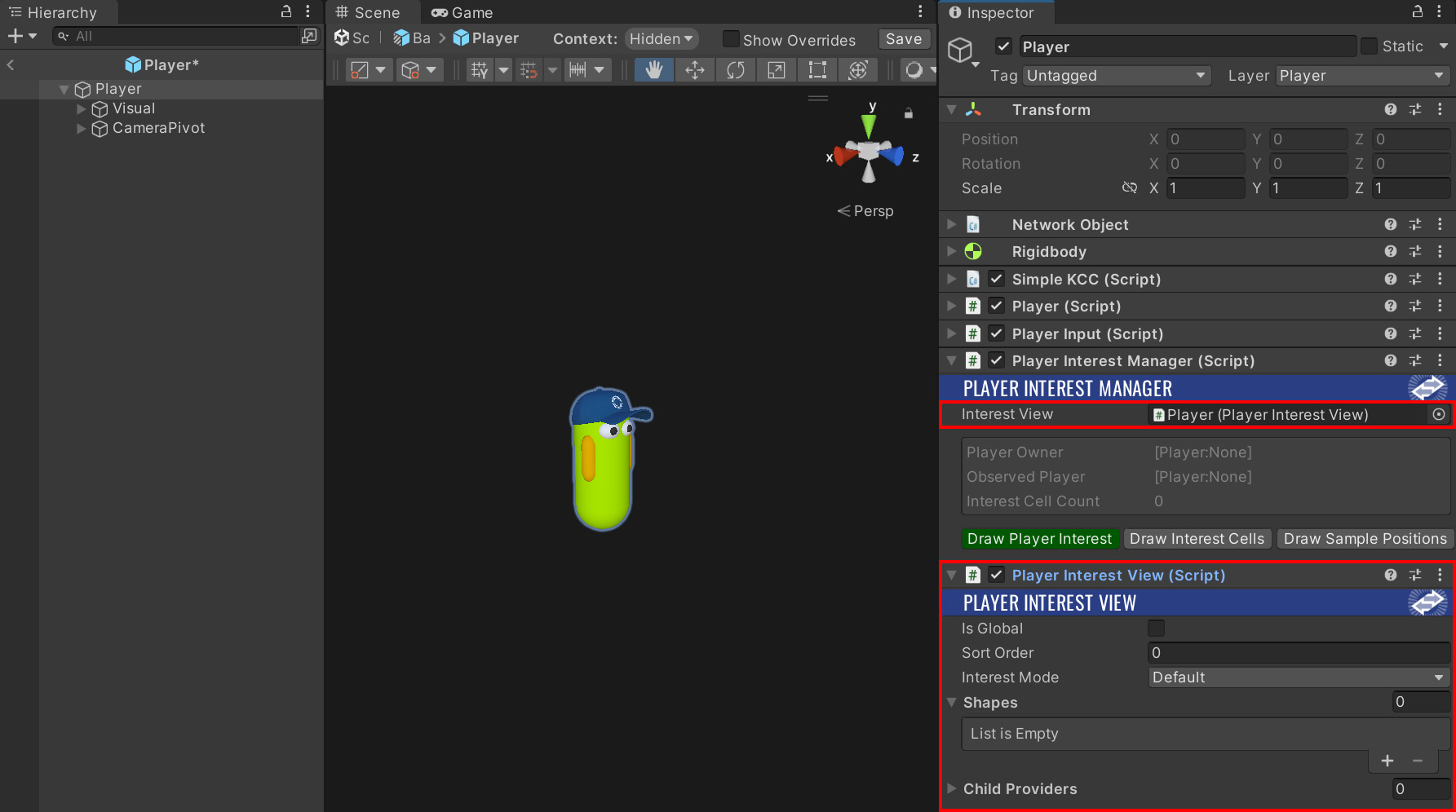
PlayerInterestViewコンポーネントを追加し、それをPlayerInterestManagerのInterest Viewプロパティにリンクする。
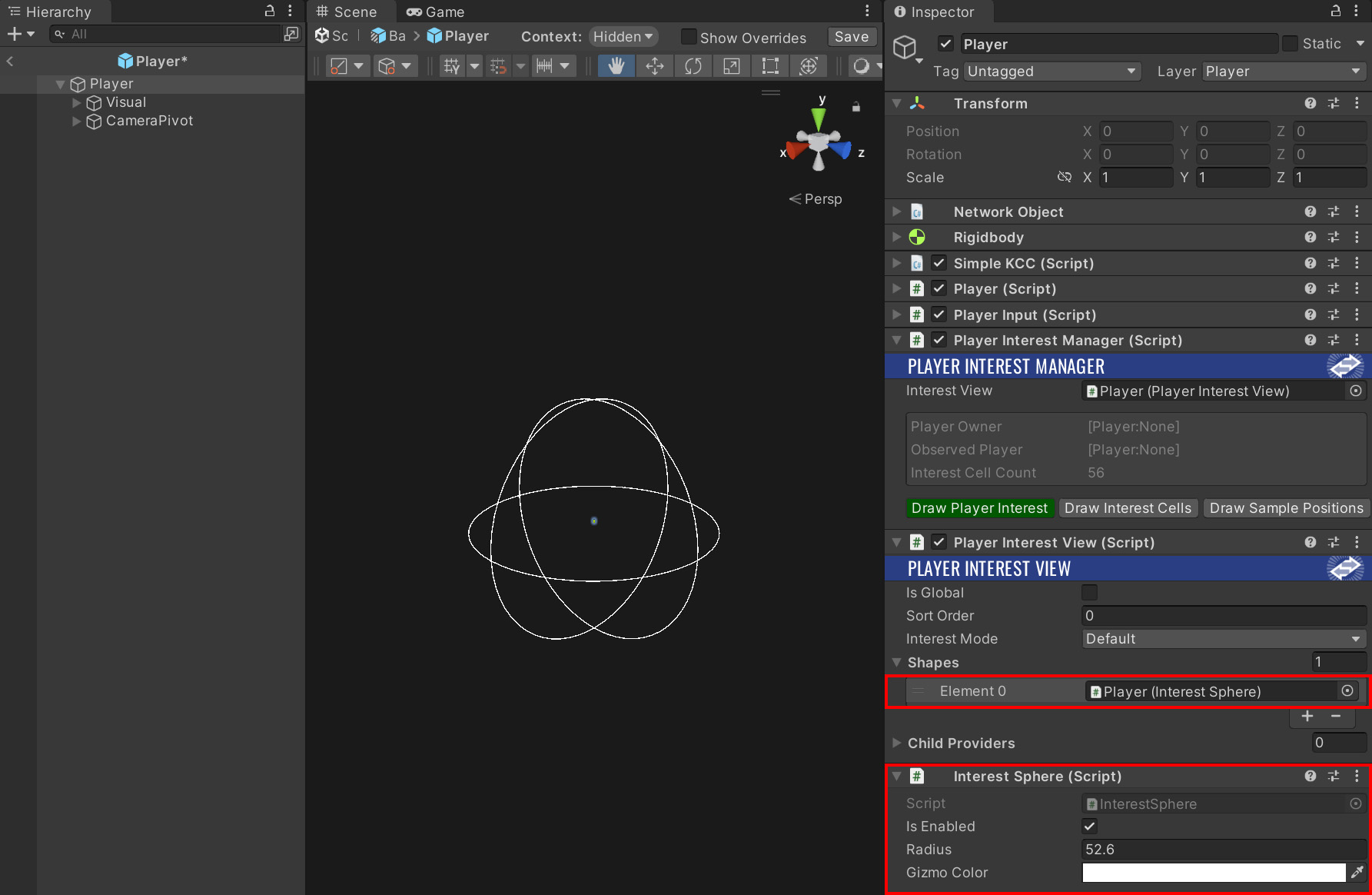
InterestSphereコンポーネントを追加し、それをPlayerInterestViewのShapesプロパティに追加する。
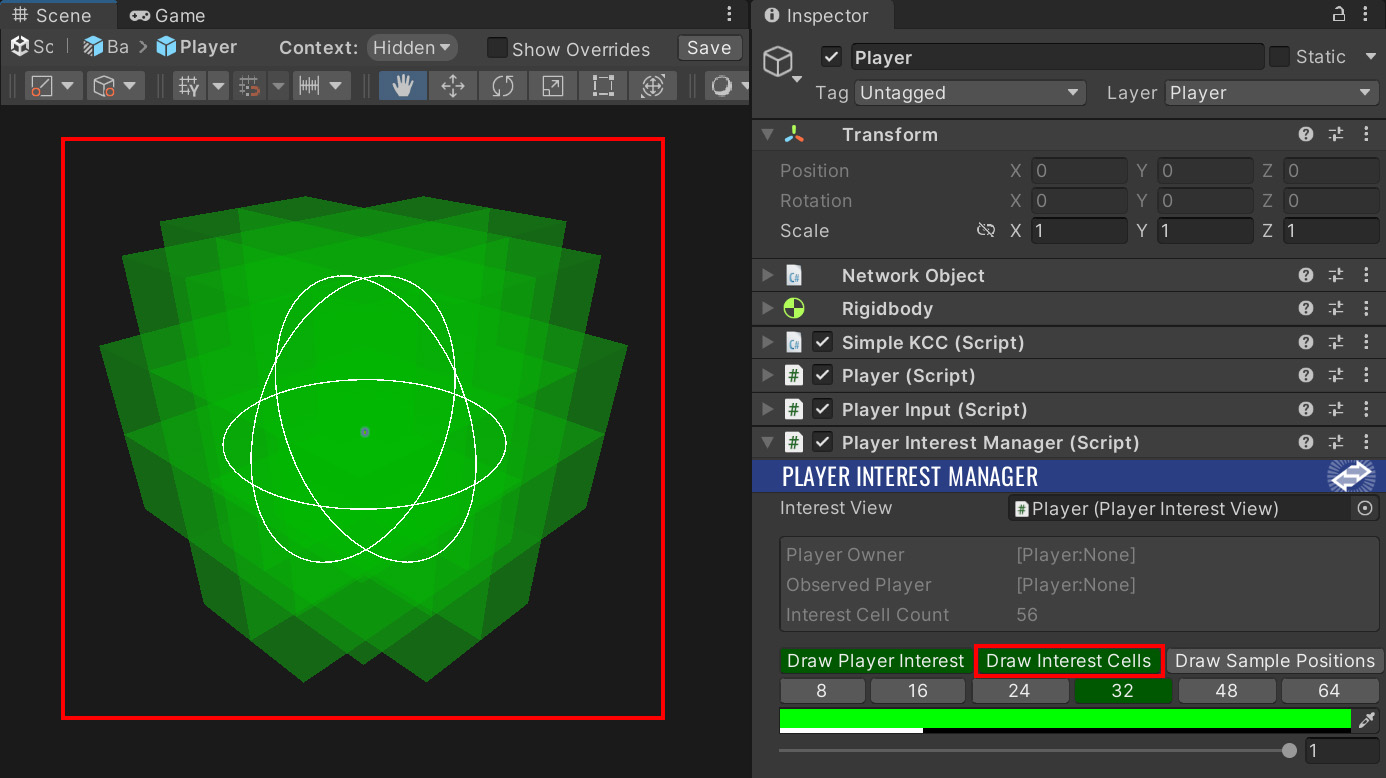
PlayerInterestManagerでDraw Interest Cellsを有効にして、シーンビューでインタレストセルのプレビューを確認する。
- おめでとうございます! Interest Management アドオンの基本的な統合が完了しました。
個々のコンポーネントについては、Architecture セクションで詳細に説明されています。
💡 さらなる例やステップバイステップの説明については、Sample Project をご確認ください。
Last updated on
Back to top